

Overview
Overview
TRAVO
TRAVO
TRAVO
Improving comparison and decision-making in Hotel booking on mobile
Improving comparison and decision-making in Hotel booking on mobile
Improving comparison and decision-making in Hotel booking on mobile
UX/UI Design
End-to-end
Mobile
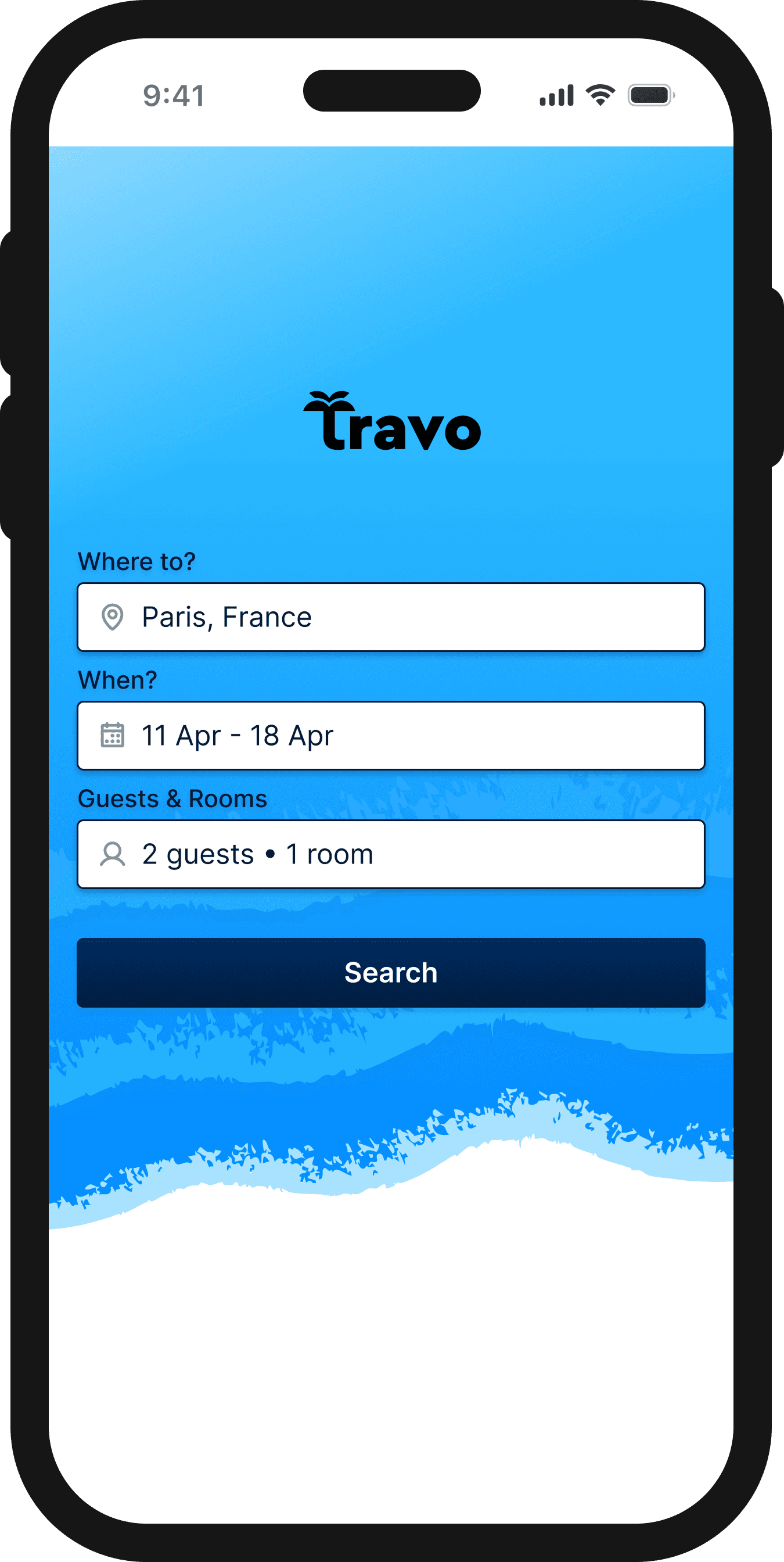
Travo is a hotel review platform concept expanding into direct bookings. As part of the UX Design Institute's Professional Diploma in UX Design, I designed the end to end mobile booking journey, from search to confirmation.
Travo is a hotel review platform concept expanding into direct bookings. As part of the UX Design Institute's Professional Diploma in UX Design, I designed the end to end mobile booking journey, from search to confirmation.
Travo is a hotel review platform concept expanding into direct bookings. As part of the UX Design Institute's Professional Diploma in UX Design, I designed the end to end mobile booking journey, from search to confirmation.
My Role
My Role
User Research
User Research
UX Design
UX Design
UI Design
UI Design
Team
Team
Solo Project
Solo Project
Duration
Duration
8 weeks
8 weeks
Tools
Tools
Figma
Figma
Miro
Miro
Adobe Suite
Adobe Suite
Zoom
Zoom

The design process & methods
The design process & methods
Research
Research
Research
🔍
🔍
🔍
Secondary Research
Secondary Research
Secondary Research
Competitor Analysis
Competitor Analysis
Competitor Analysis
Usability Testing
Usability Testing
Usability Testing
Analysis
Analysis
Analysis
🧠
🧠
🧠
Affinity Diagram
Affinity Diagram
Affinity Diagram
User Journey Map
User Journey Map
User Journey Map
Design
Design
Design
✒️
✒️
✒️
User Flow & Wireframing
User Flow & Wireframing
User Flow & Wireframing
Interactive Prototyping
Interactive Prototyping
Interactive Prototyping
Design Handoff
Design Handoff
Design Handoff
Understanding the context
Understanding the context
To better understand the problem space, I reviewed existing industry research on online travel booking behaviour. This helped establish common patterns in how people browse and book accommodation online.
To better understand the problem space, I reviewed existing industry research on online travel booking behaviour. This helped establish common patterns in how people browse and book accommodation online.
To better understand the problem space, I reviewed existing industry research on online travel booking behaviour. This helped establish common patterns in how people browse and book accommodation online.


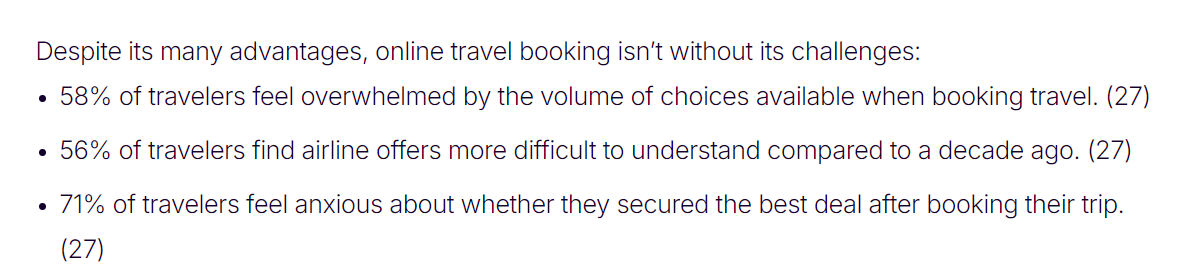
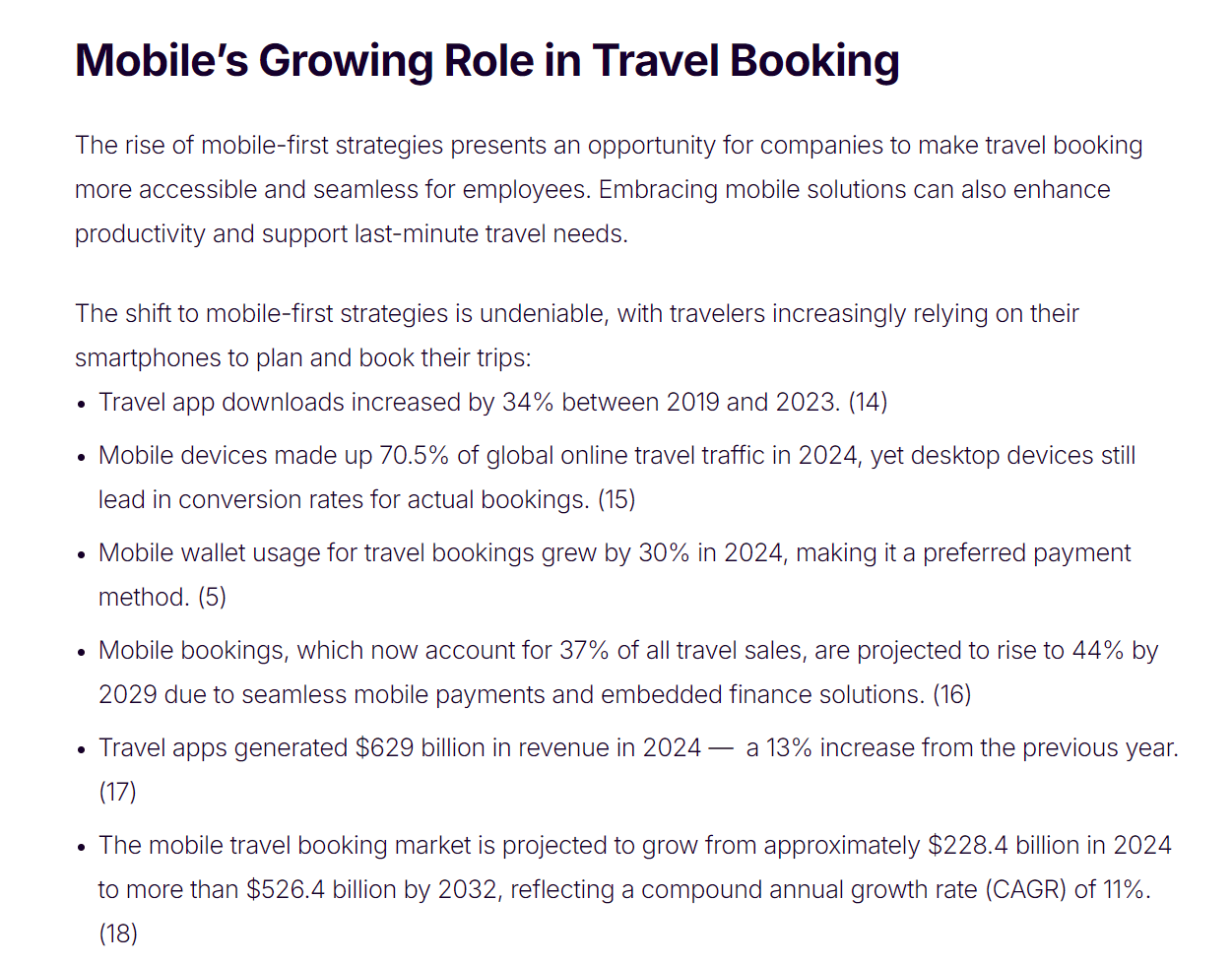

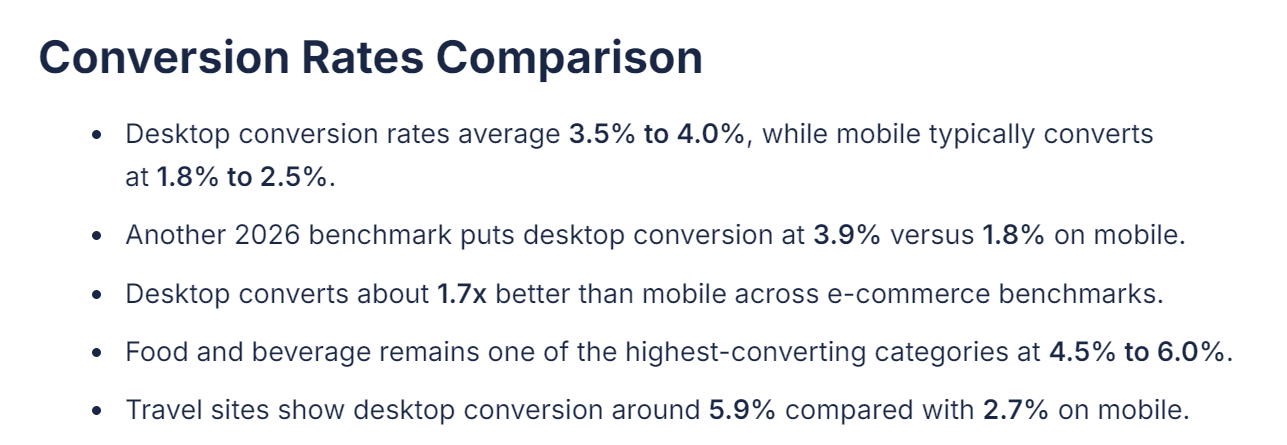
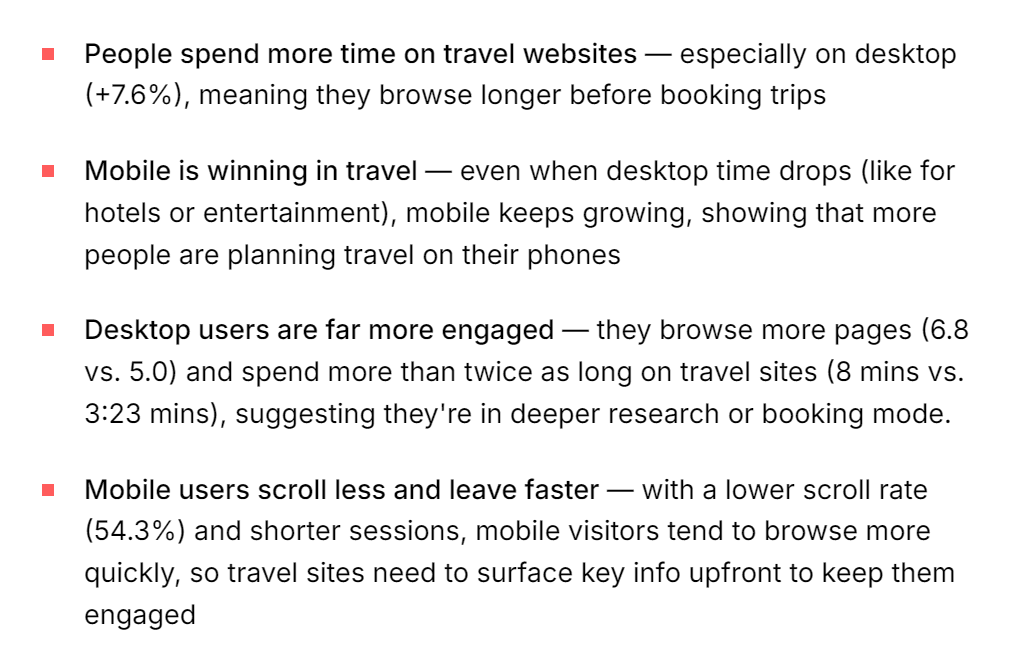
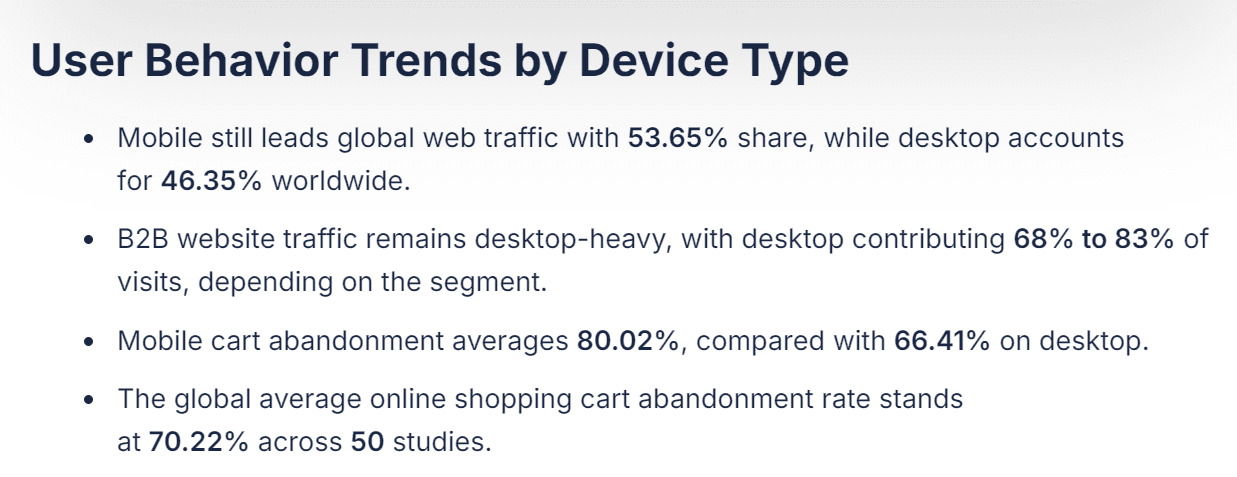
Early secondary research helped me understand the context
Early secondary research helped me understand the context
Key Findings
🔍
Mobile dominates travel traffic but converts far less than desktop
Mobile dominates travel traffic but converts far less than desktop
Mobile devices account for around 70% of global online travel traffic, yet booking conversion is significantly lower: around 0.7% on mobile compared to 2.4% on desktop. Many travellers research on mobile but complete bookings on larger screens
Mobile devices account for around 70% of global online travel traffic, yet booking conversion is significantly lower: around 0.7% on mobile compared to 2.4% on desktop. Many travellers research on mobile but complete bookings on larger screens
🔍
Mobile dominates travel traffic but converts far less than desktop
Mobile devices account for around 70% of global online travel traffic, yet booking conversion is significantly lower: around 0.7% on mobile compared to 2.4% on desktop. Many travellers research on mobile but complete bookings on larger screens
🔍
Complex travel decisions are difficult on small screens
Complex travel decisions are difficult on small screens
Booking a hotel requires comparing multiple properties, room types, amenities and prices. On smaller screens, evaluating this information becomes harder and increases cognitive load.
Booking a hotel requires comparing multiple properties, room types, amenities and prices. On smaller screens, evaluating this information becomes harder and increases cognitive load.
🔍
Complex travel decisions are difficult on small screens
Booking a hotel requires comparing multiple properties, room types, amenities and prices. On smaller screens, evaluating this information becomes harder and increases cognitive load.
Research Objective
🎯
The goal of the Primary Research was to understand how users search for, evaluate and book hotels on mobile, and to identify potential usability issues in the booking journey.
The goal of the Primary Research was to understand how users search for, evaluate and book hotels on mobile, and to identify potential usability issues in the booking journey.
🎯
The goal of the Primary Research was to understand how users search for, evaluate and book hotels on mobile, and to identify potential usability issues in the booking journey.
Solving the right problem
Solving the right problem
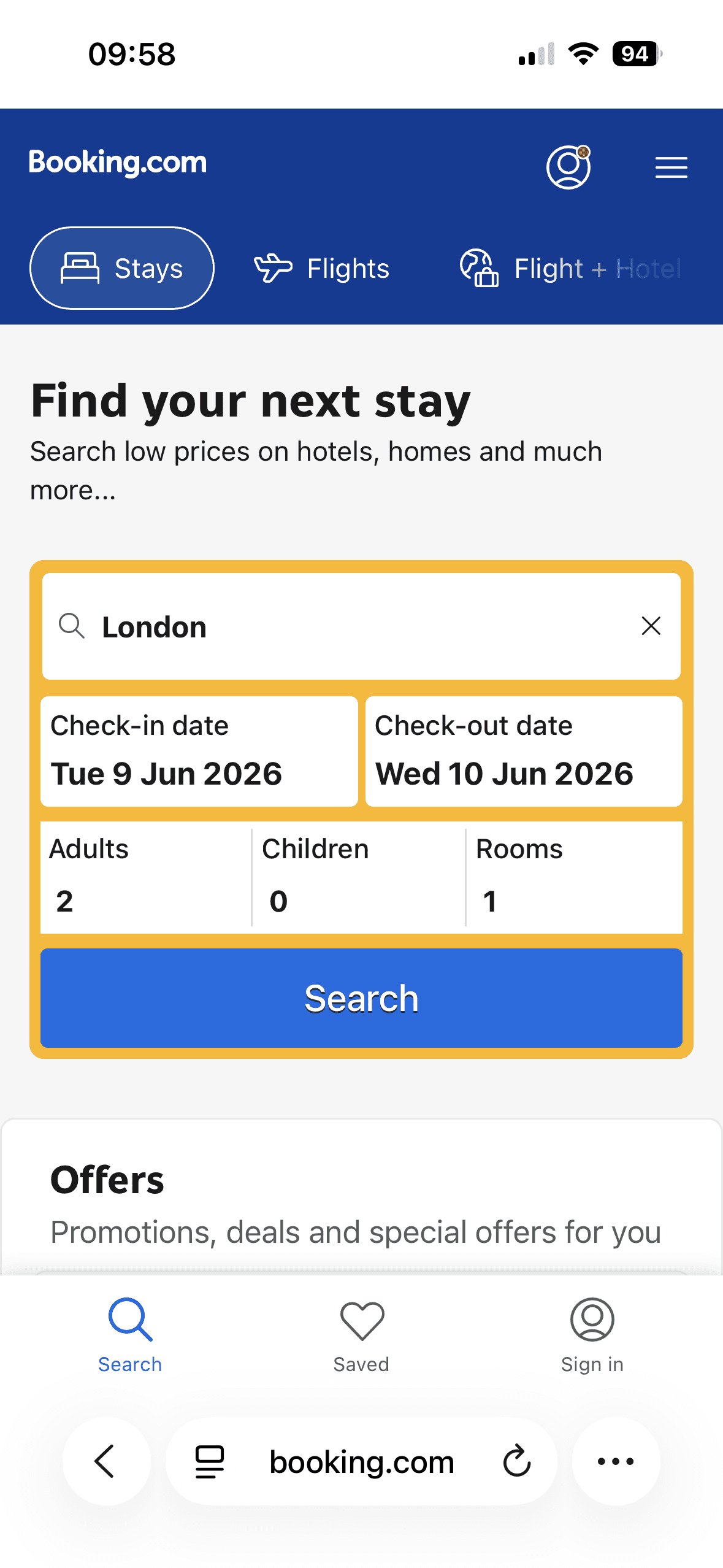
To better understand how users complete hotel bookings on mobile, I conducted user interviews and usability tests with participants completing booking tasks on mobile, alongside a Competitor Analysis of four existing booking platforms. These methods helped uncover common usability issues across the booking journey and evaluate how current platforms address them.
To better understand how users complete hotel bookings on mobile, I conducted user interviews and usability tests with participants completing booking tasks on mobile, alongside a Competitor Analysis of four existing booking platforms. These methods helped uncover common usability issues across the booking journey and evaluate how current platforms address them.
To better understand how users complete hotel bookings on mobile, I conducted user interviews and usability tests with participants completing booking tasks on mobile, alongside a Competitor Analysis of four existing booking platforms. These methods helped uncover common usability issues across the booking journey and evaluate how current platforms address them.
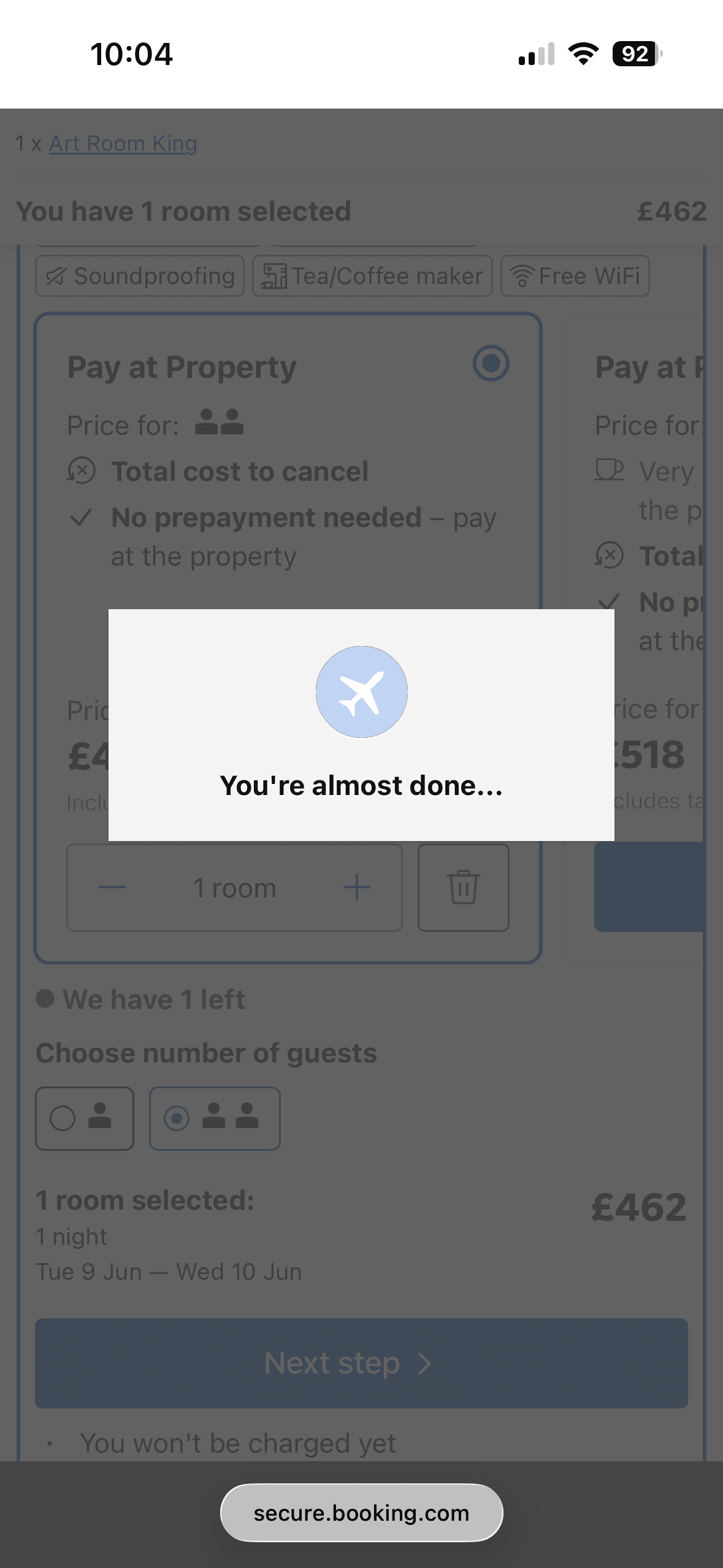
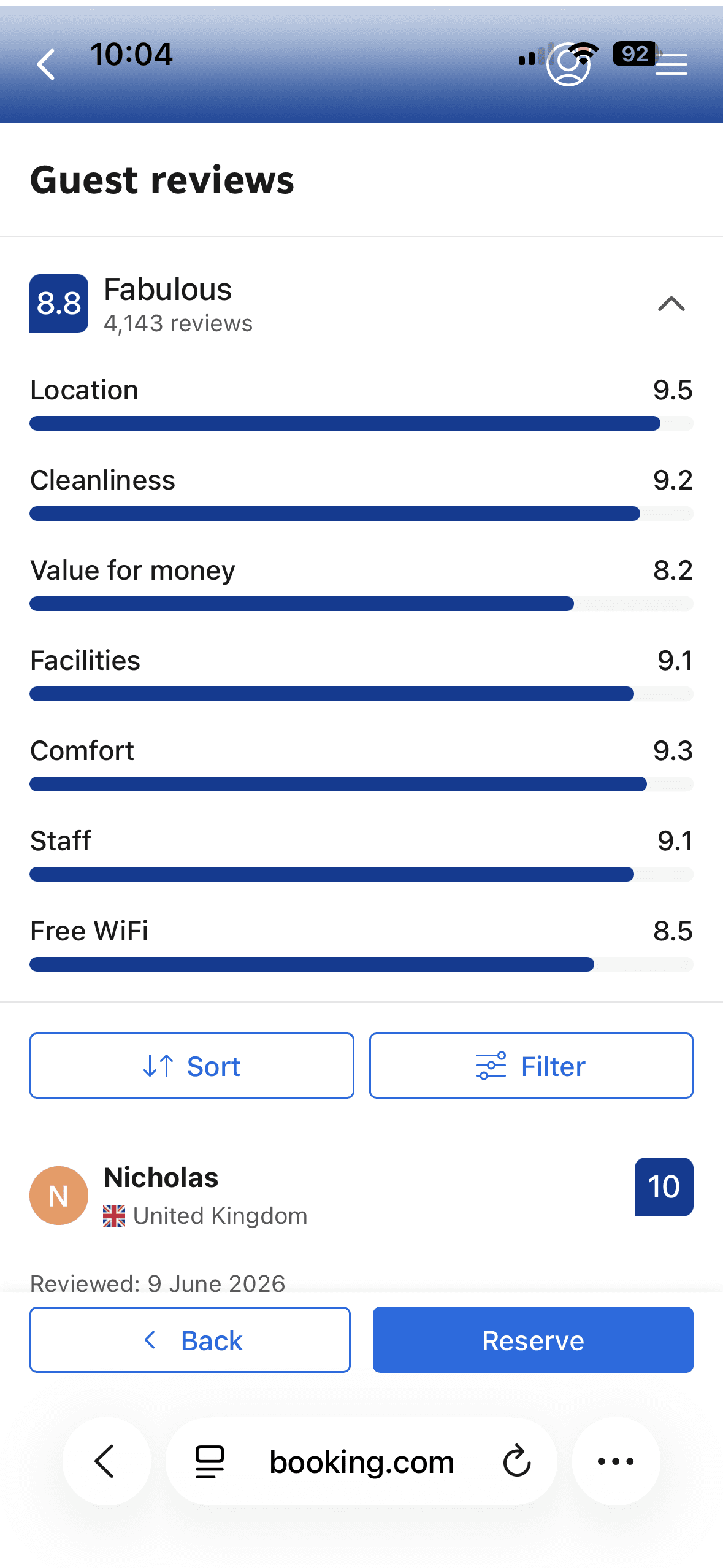
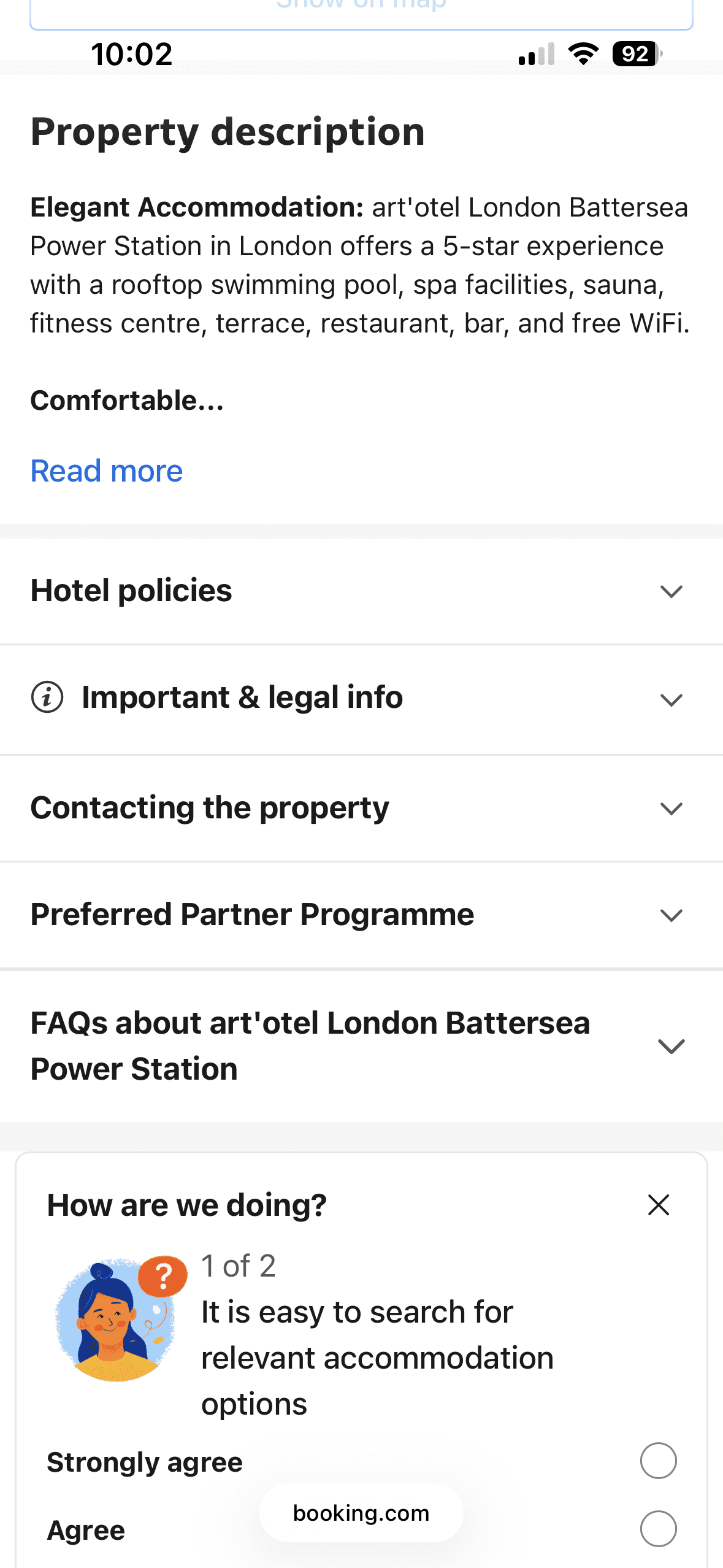
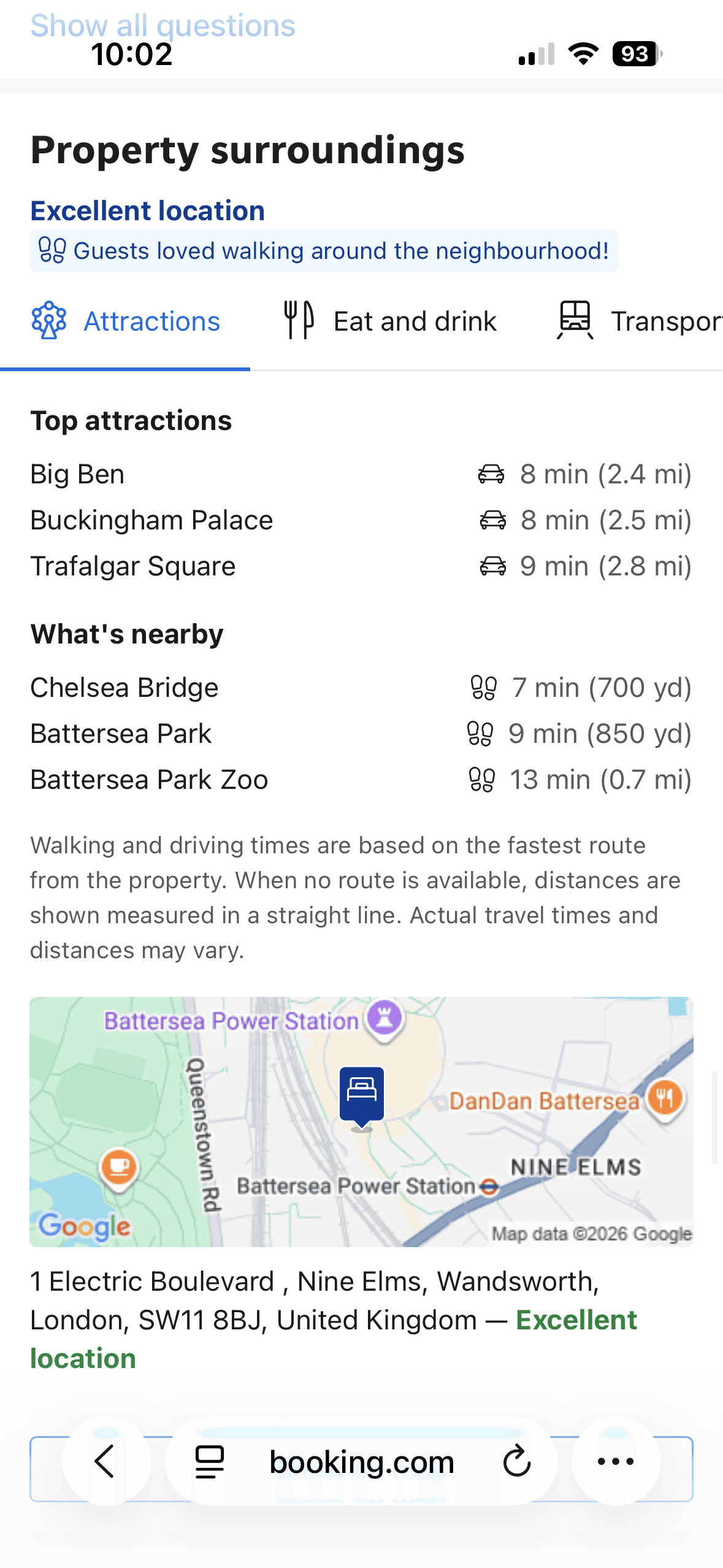
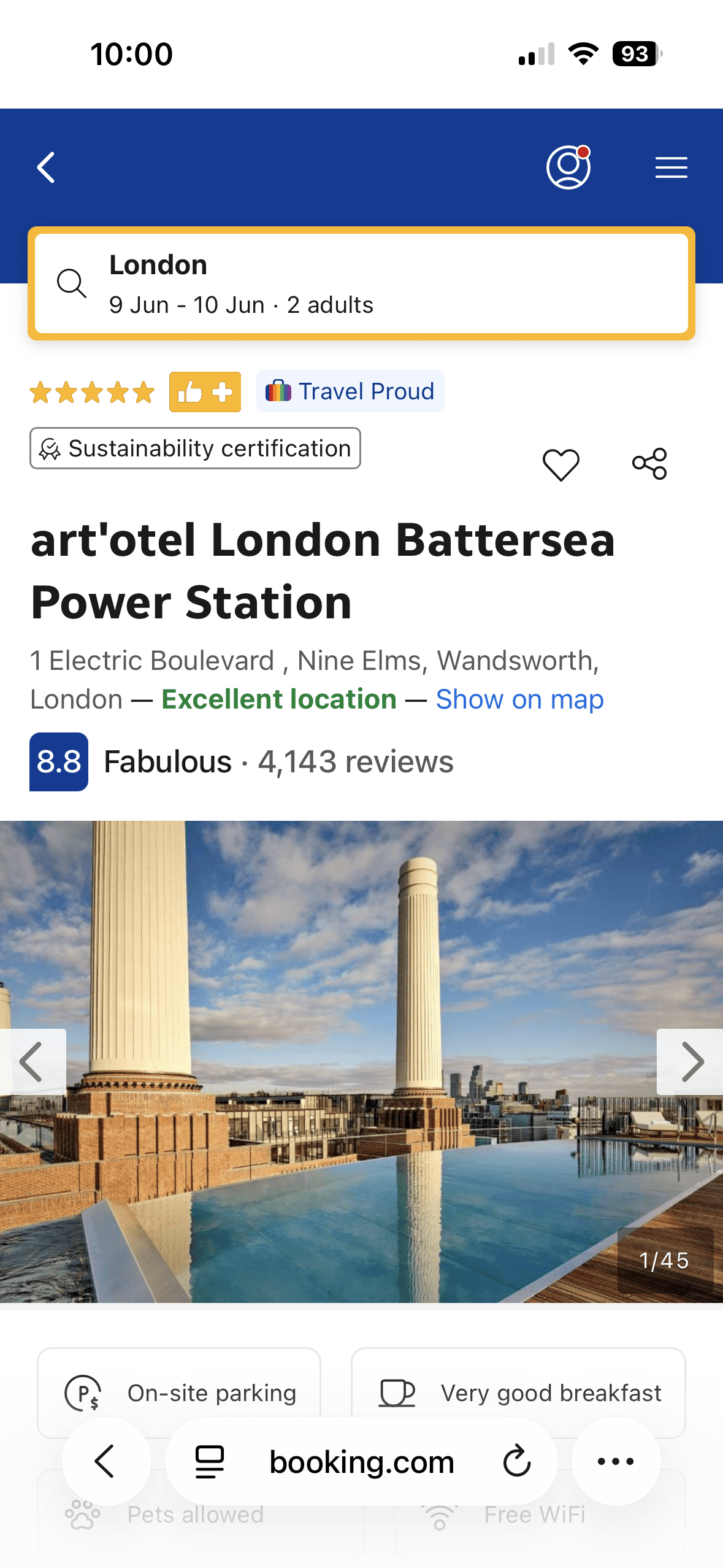
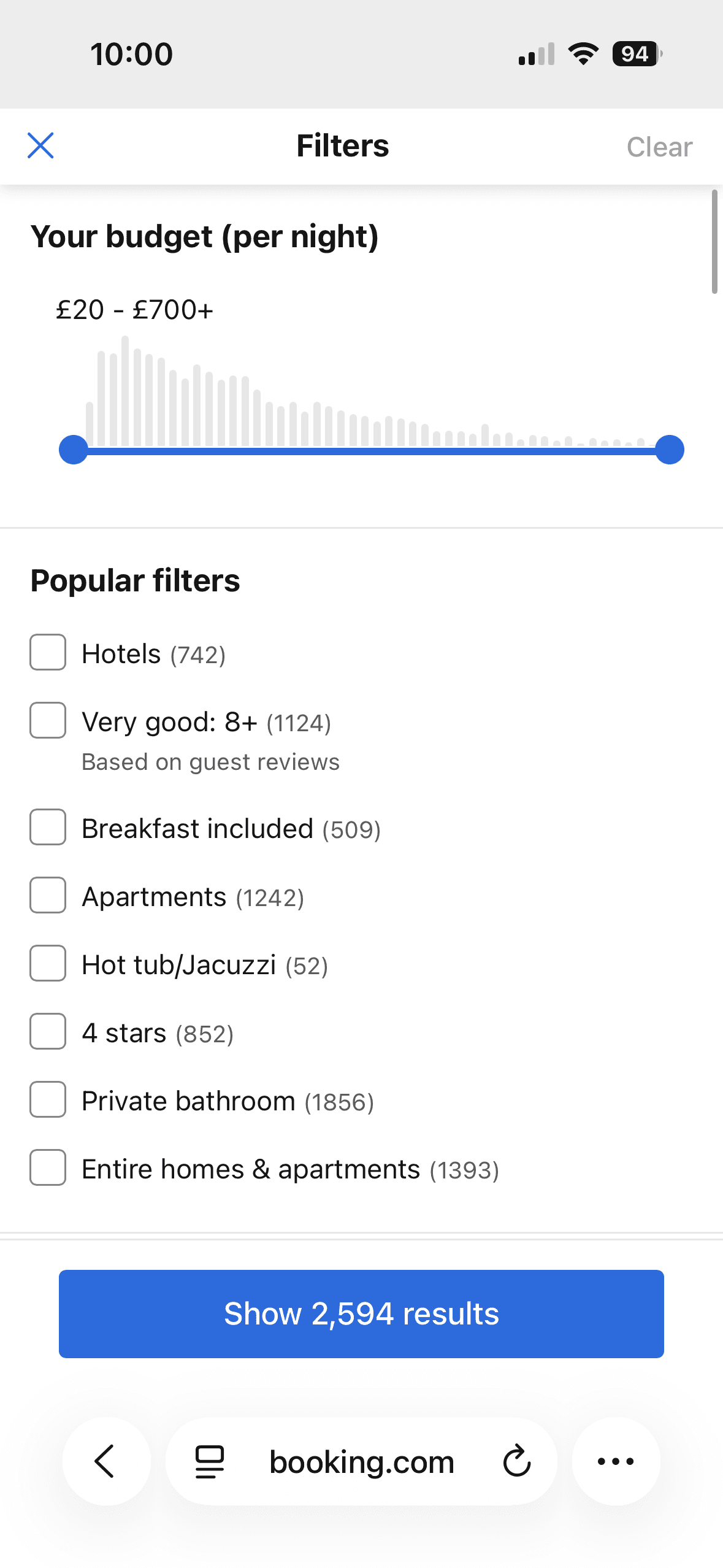
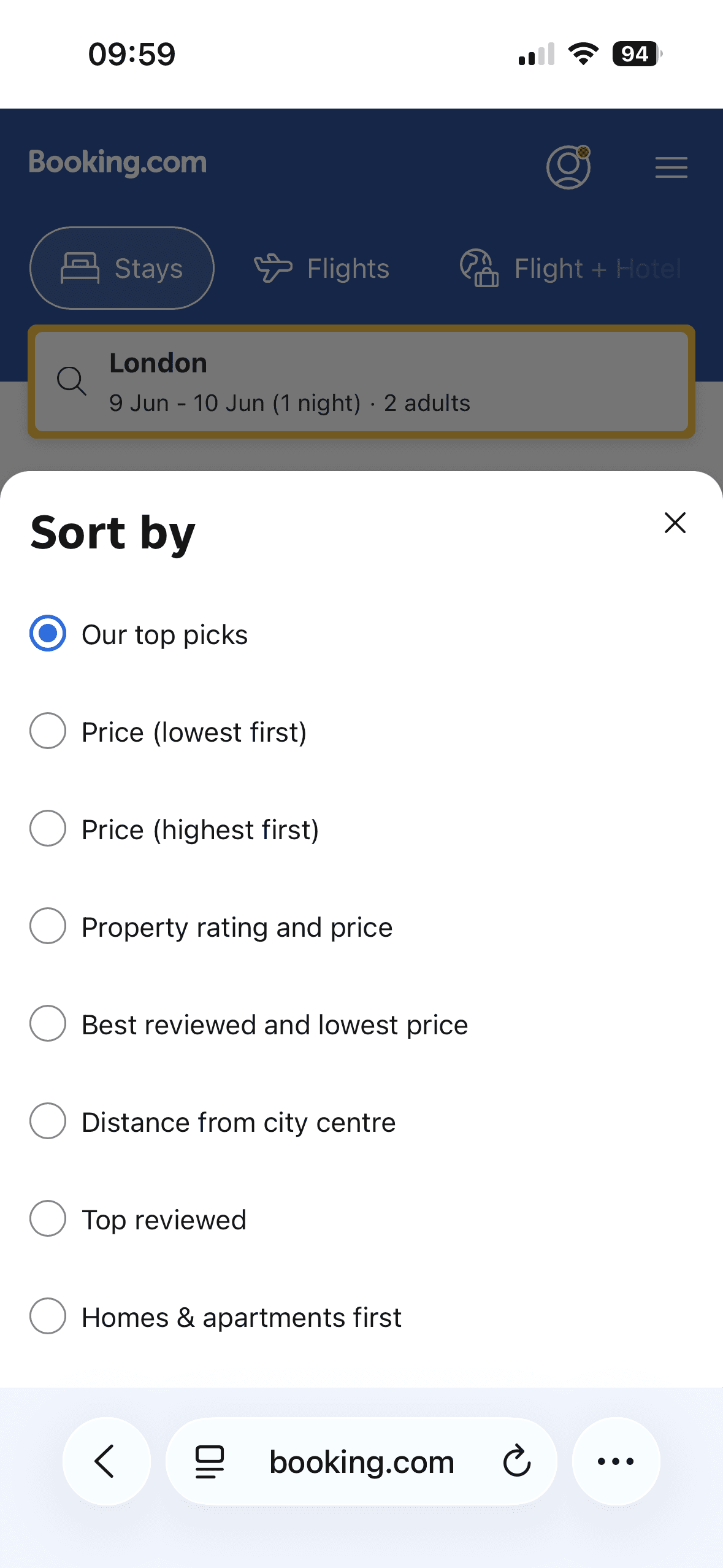
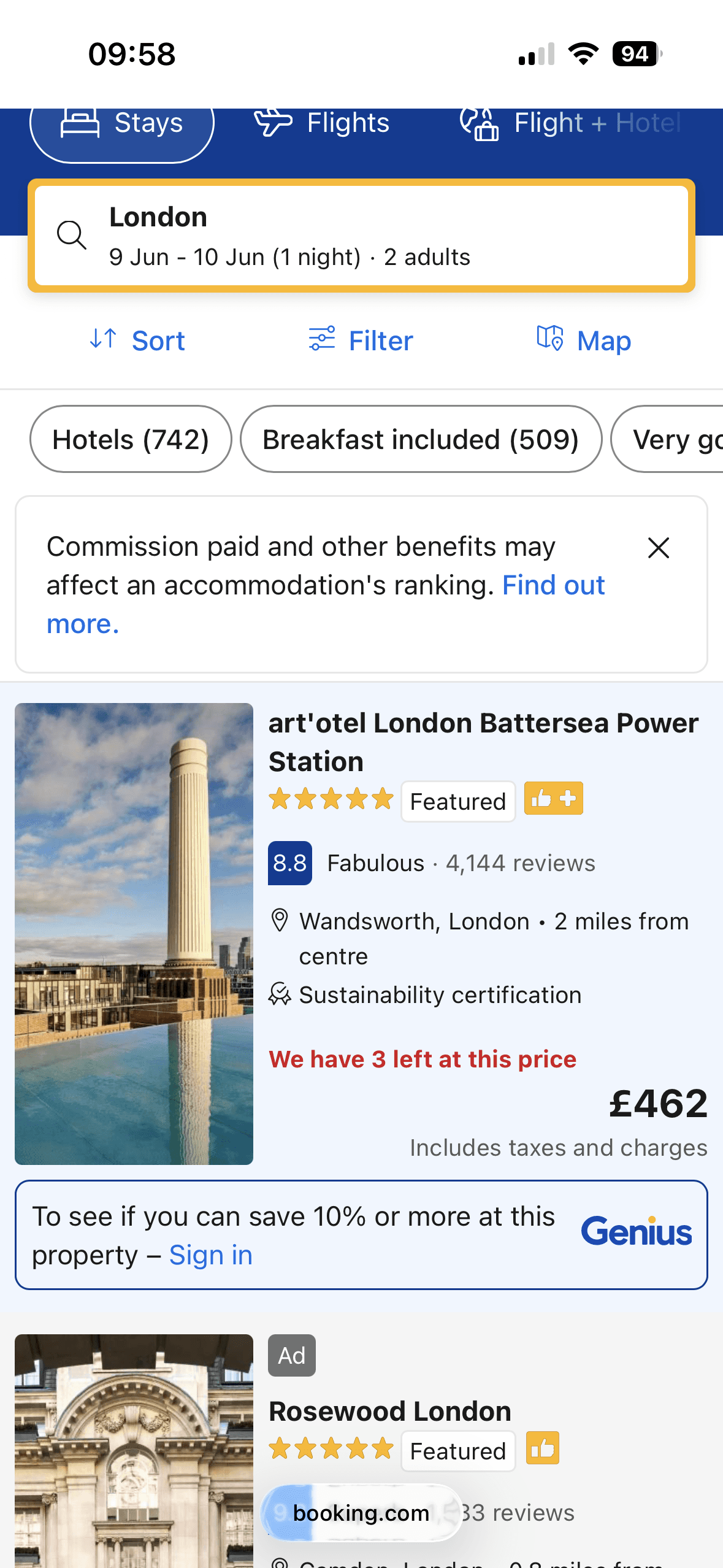
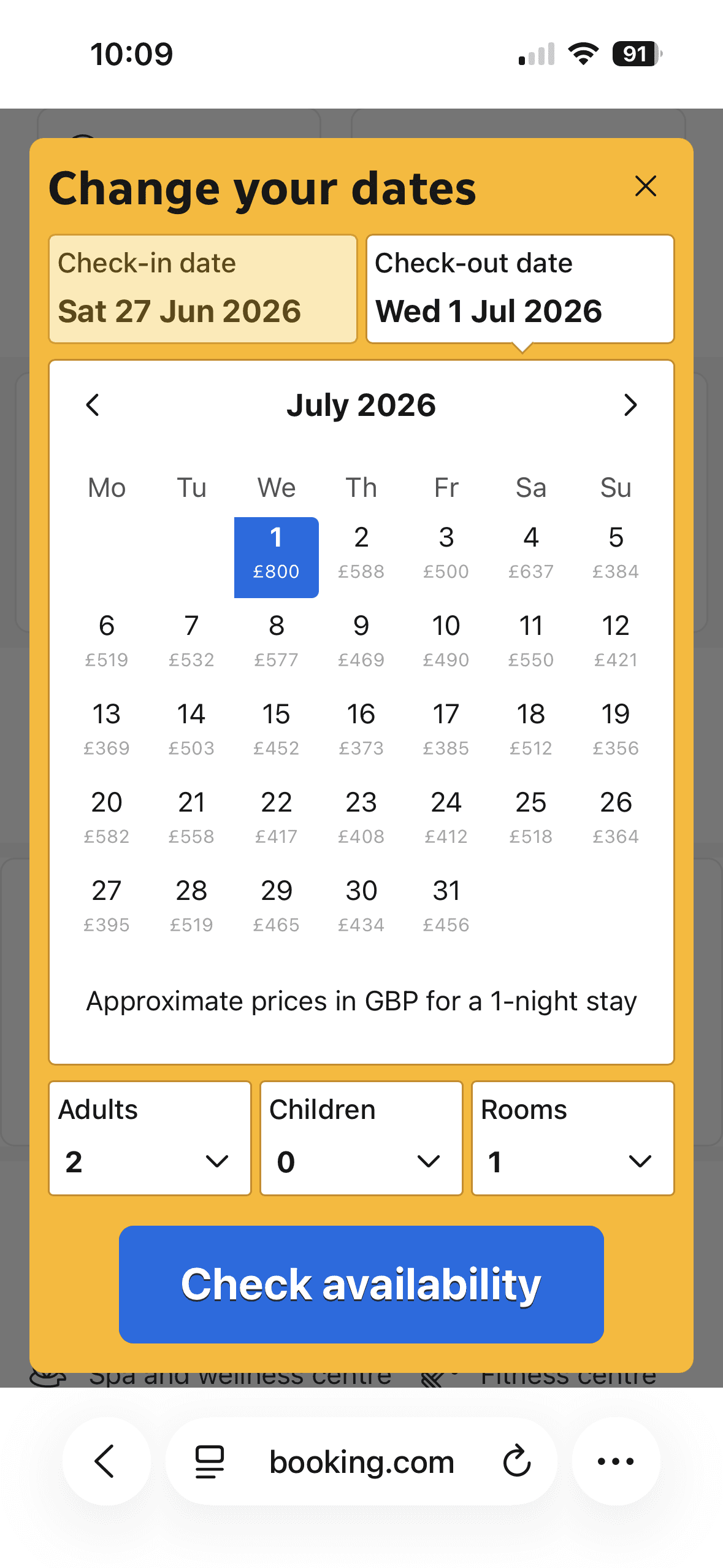
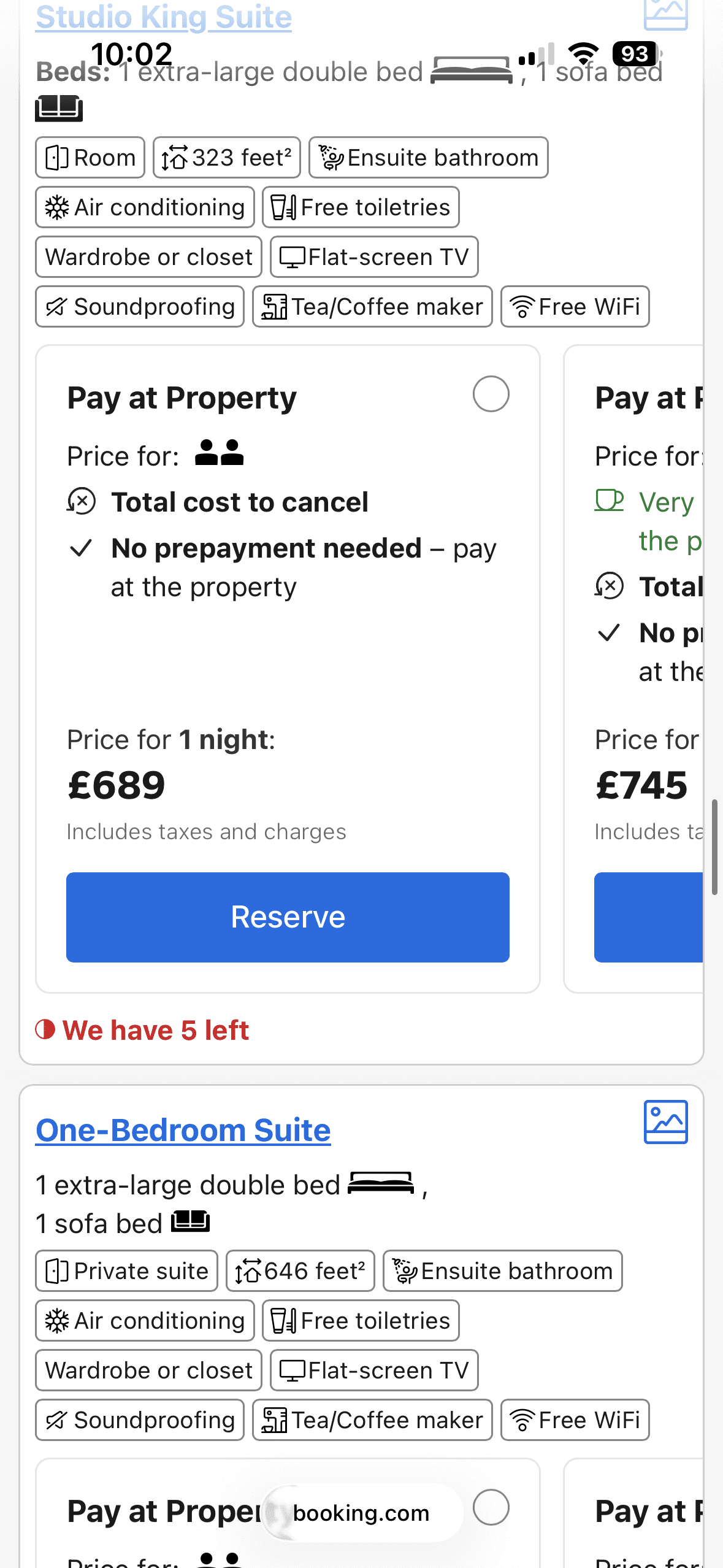
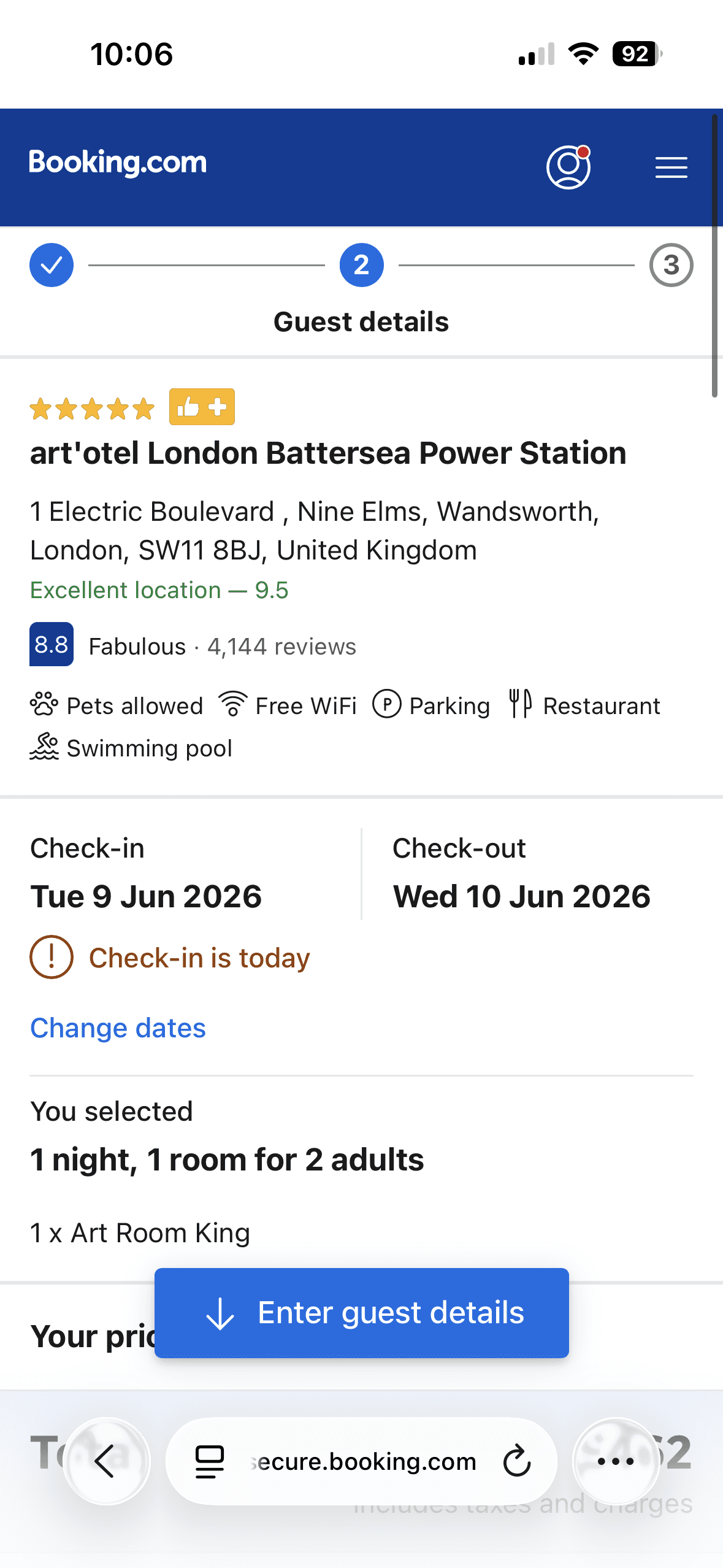
Users can easily adjust dates even after selecting a property and room (User Control and Freedom)
Pre-populated location and dates reduce effort and accelerate common booking tasks (Flexibility and Efficiency of Use)
🚩 Users must remember room details while scrolling through multiple options, violating the Recognition Rather Than Recall heuristic
Competitor Analysis of existing booking platforms
Competitor Analysis of existing booking platforms
Notes taken from interviews and usability tests were analysed using an Affinity Map to identify recurring themes and user pain points across the research data. These patterns were then mapped onto a User Journey Map to understand where users experienced the most friction during the booking process.
The findings corroborated earlier research, confirming that many users browse on mobile but switch to desktop to complete their bookings.
Notes taken from interviews and usability tests were analysed using an Affinity Map to identify recurring themes and user pain points across the research data. These patterns were then mapped onto a User Journey Map to understand where users experienced the most friction during the booking process.
The findings corroborated earlier research, confirming that many users browse on mobile but switch to desktop to complete their bookings.
Notes taken from interviews and usability tests were analysed using an Affinity Map to identify recurring themes and user pain points across the research data. These patterns were then mapped onto a User Journey Map to understand where users experienced the most friction during the booking process.
The findings corroborated earlier research, confirming that many users browse on mobile but switch to desktop to complete their bookings.
User feels there isn't enough information on accessibility
User feels there isn't enough information on accessibility
User likes review scores to be separated by category
User likes review scores to be separated by category
User thinks "Discounted Price" section is deceptive
User thinks "Discounted Price" section is deceptive
User would like option to pay in a different currency
User would like option to pay in a different currency
User would like Map view to search for properties automatically
User would like Map view to search for properties automatically
User still not confident they selected the best deal
User mentioned timer on screen makes them feel pressured / anxious
User mentioned timer on screen makes them feel pressured / anxious
Key Insights
🔍
Comparing options is difficult on mobile
Comparing options is difficult on mobile
When many options are presented with inconsistent or overloaded information, it becomes difficult to quickly understand differences and make confident decisions.
When many options are presented with inconsistent or overloaded information, it becomes difficult to quickly understand differences and make confident decisions.
🔍
Comparing options is difficult on mobile
When many options are presented with inconsistent or overloaded information, it becomes difficult to quickly understand differences and make confident decisions.
🔍
Critical booking information must be easy to find
Critical booking information must be easy to find
Important details such as pricing breakdowns, room differences and cancellation policies are often unclear or difficult to locate, reducing user confidence during decision making.
Important details such as pricing breakdowns, room differences and cancellation policies are often unclear or difficult to locate, reducing user confidence during decision making.
🔍
Critical booking information must be easy to find
Important details such as pricing breakdowns, room differences and cancellation policies are often unclear or difficult to locate, reducing user confidence during decision making.
🔍
Uncertainty increases near the end of the booking journey
Uncertainty increases near the end of the booking journey
Unclear pricing, pressure messaging and uncertainty around payment details can increase anxiety and discourage completion.
Unclear pricing, pressure messaging and uncertainty around payment details can increase anxiety and discourage completion.
🔍
Uncertainty increases near the end of the booking journey
Unclear pricing, pressure messaging and uncertainty around payment details can increase anxiety and discourage completion.
These insights informed the problem definition and the hypothesis that guided the design solution.
These insights informed the problem definition and the hypothesis that guided the design solution.
These insights informed the problem definition and the hypothesis that guided the design solution.
🚩
Problem
Problem
Users booking hotels on mobile struggle to confidently compare properties and room options because key information is poorly prioritised, incomplete or overwhelming.
Users booking hotels on mobile struggle to confidently compare properties and room options because key information is poorly prioritised, incomplete or overwhelming.
🚩
Problem
Users booking hotels on mobile struggle to confidently compare properties and room options because key information is poorly prioritised, incomplete or overwhelming.
🤔
Hypothesis
Hypothesis
If the mobile booking experience presents key information clearly and supports easier comparison between options, users will be able to evaluate hotels more confidently, increasing the likelihood of completing bookings on mobile.
If the mobile booking experience presents key information clearly and supports easier comparison between options, users will be able to evaluate hotels more confidently, increasing the likelihood of completing bookings on mobile.
🤔
Hypothesis
If the mobile booking experience presents key information clearly and supports easier comparison between options, users will be able to evaluate hotels more confidently, increasing the likelihood of completing bookings on mobile.
💡
Solution
Solution
I designed a mobile-first booking flow that prioritises clarity and reduces cognitive load when comparing options. Key information is surfaced at the right moment, helping users evaluate hotels more easily and make confident booking decisions.
I designed a mobile-first booking flow that prioritises clarity and reduces cognitive load when comparing options. Key information is surfaced at the right moment, helping users evaluate hotels more easily and make confident booking decisions.
💡
Solution
I designed a mobile-first booking flow that prioritises clarity and reduces cognitive load when comparing options. Key information is surfaced at the right moment, helping users evaluate hotels more easily and make confident booking decisions.
Turning goals into flows
Turning goals into flows
Based on the research insights, I mapped a User Flow for the primary booking task. This helped define the steps users take from search to confirmation and identify where key information should appear.
Based on the research insights, I mapped a User Flow for the primary booking task. This helped define the steps users take from search to confirmation and identify where key information should appear.
Based on the research insights, I mapped a User Flow for the primary booking task. This helped define the steps users take from search to confirmation and identify where key information should appear.
User Flow mapping the happy path for completing a hotel booking on mobile.
User Flow mapping the happy path for completing a hotel booking on mobile.
The User Flow and Wireframe sketches evolved together through several iterations. As screens were refined, the flow was revisited to adjust steps and interactions. Design decisions were informed by research insights and established UX principles.
The User Flow and Wireframe sketches evolved together through several iterations. As screens were refined, the flow was revisited to adjust steps and interactions. Design decisions were informed by research insights and established UX principles.
The User Flow and Wireframe sketches evolved together through several iterations. As screens were refined, the flow was revisited to adjust steps and interactions. Design decisions were informed by research insights and established UX principles.
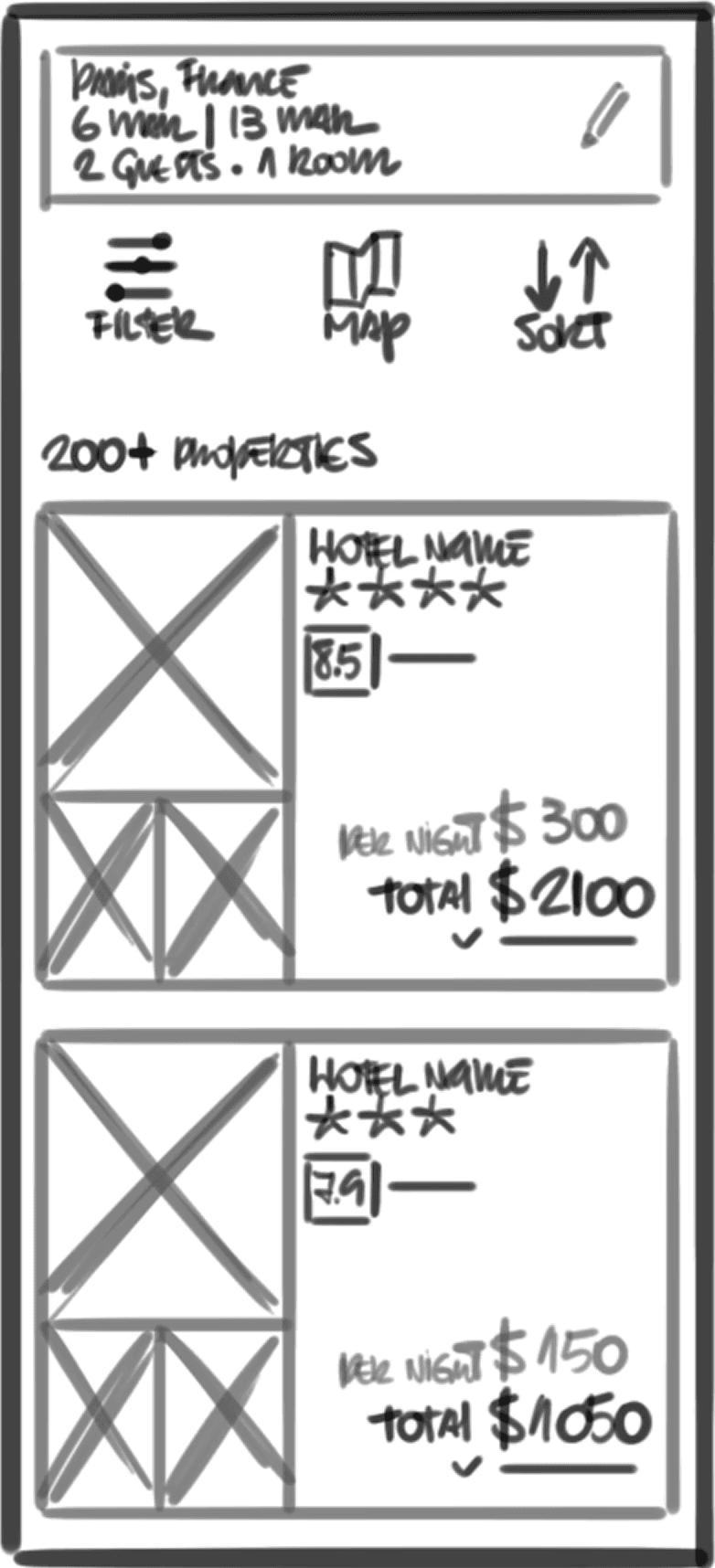
Number of attributes displayed for each property is limited, so users can compare options without overload (Miller's Law)
Options to Filter, see on Map and Sort to support different decisions, while also keeping number of choices low (Hick's Law)
“User control and freedom” - User is able to easily edit trip parameters without breaking user flow
“Recognition rather than recall” - Trip parameters are visible at the top
Annotated wireframe sketches highlighting key design decisions and UX principles
Annotated wireframe sketches highlighting key design decisions and UX principles
View Wireframe Sketches
View Wireframe Sketches
From sketches to screens
From sketches to screens
Using the sketches as a foundation, I built a mid-fidelity prototype in Figma to refine screen layouts and the overall booking flow. Working at this level of fidelity allowed me to focus on usability and task completion rather than visual polish, making it easier to test whether the experience supported users’ goals.
Using the sketches as a foundation, I built a mid-fidelity prototype in Figma to refine screen layouts and the overall booking flow. Working at this level of fidelity allowed me to focus on usability and task completion rather than visual polish, making it easier to test whether the experience supported users’ goals.
Using the sketches as a foundation, I built a mid-fidelity prototype in Figma to refine screen layouts and the overall booking flow. Working at this level of fidelity allowed me to focus on usability and task completion rather than visual polish, making it easier to test whether the experience supported users’ goals.

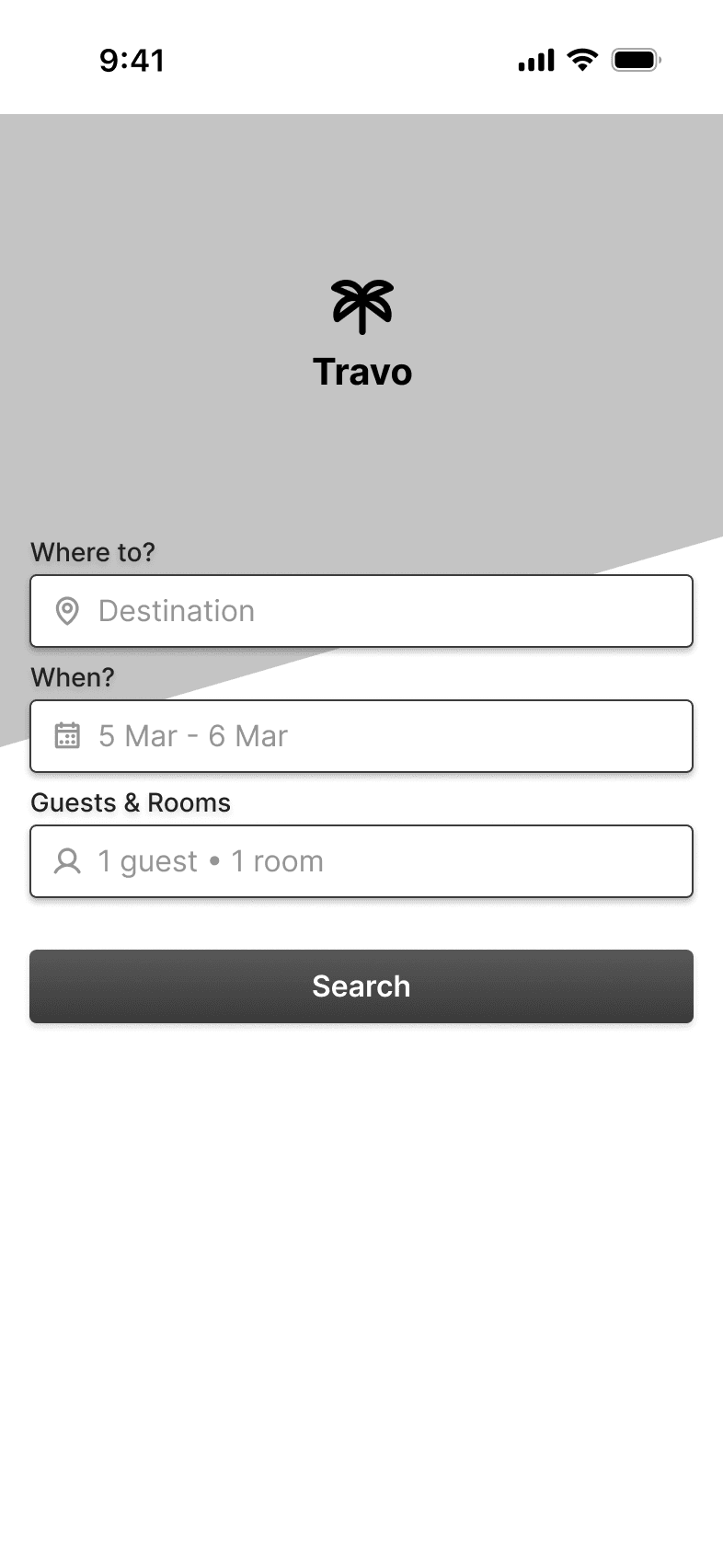
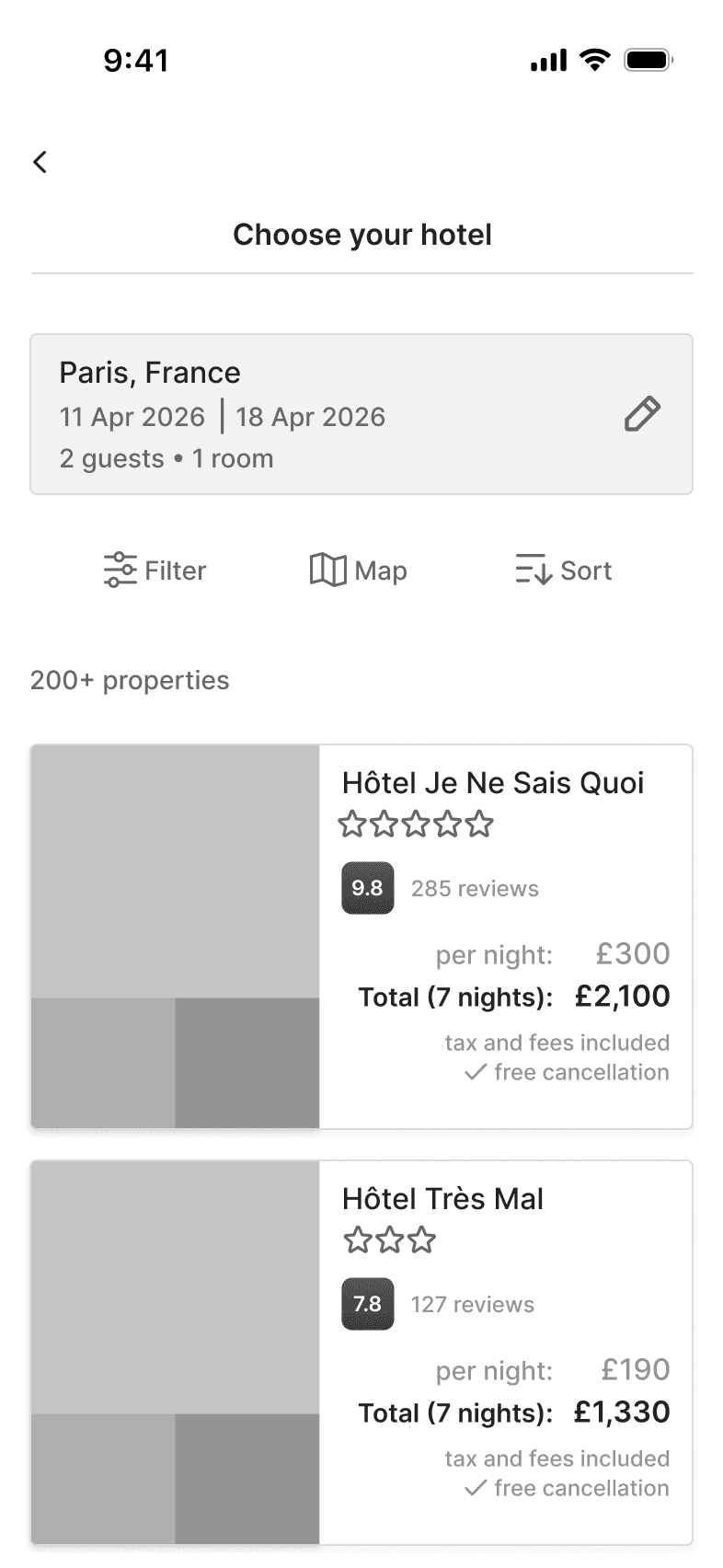
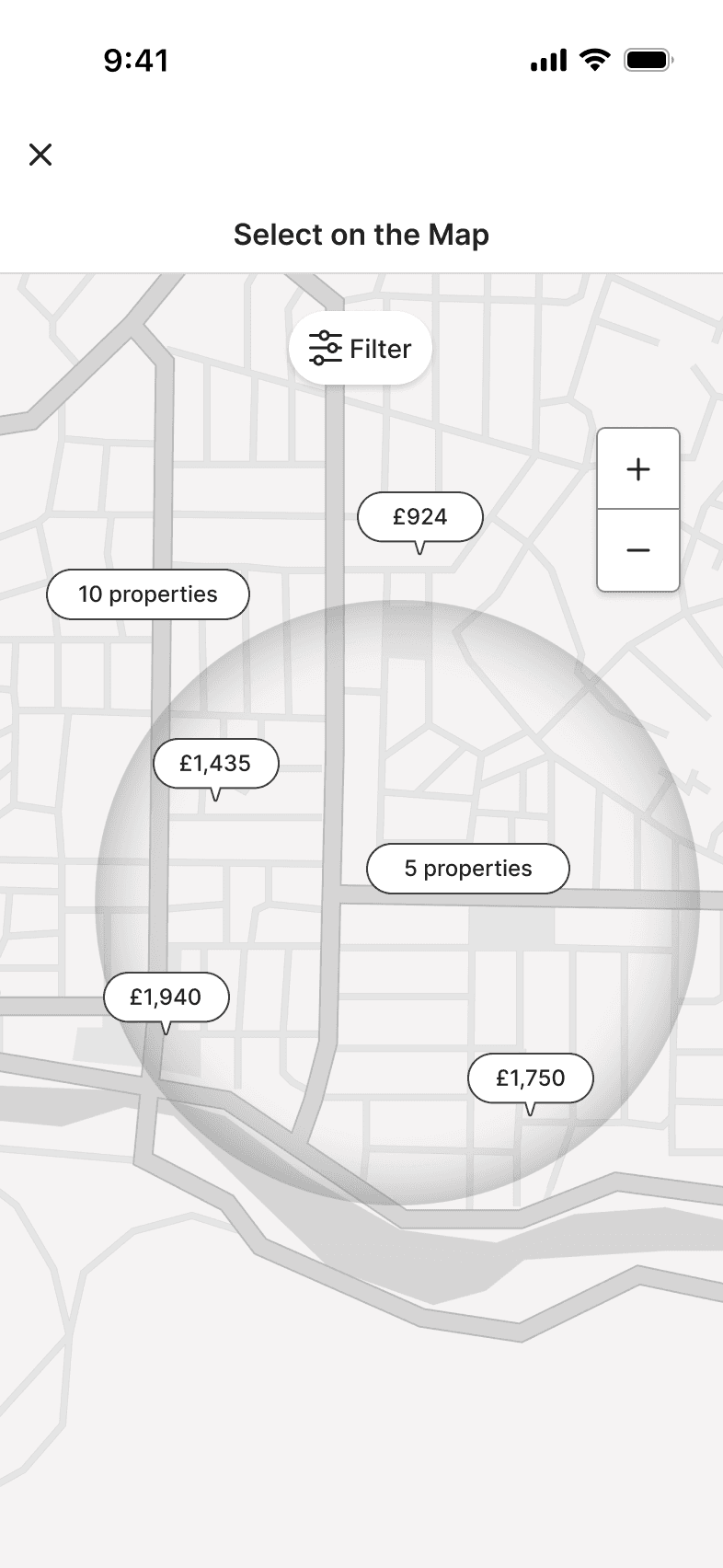
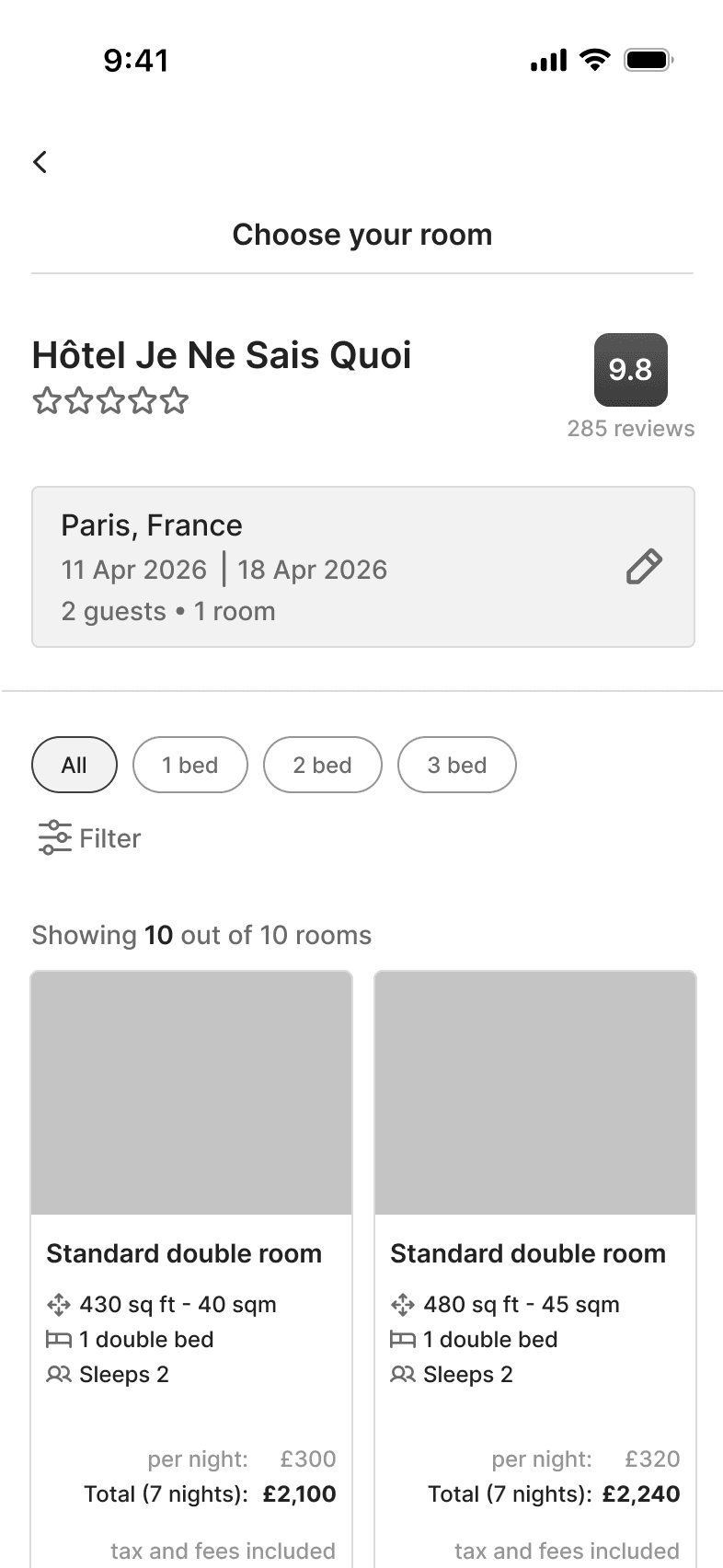
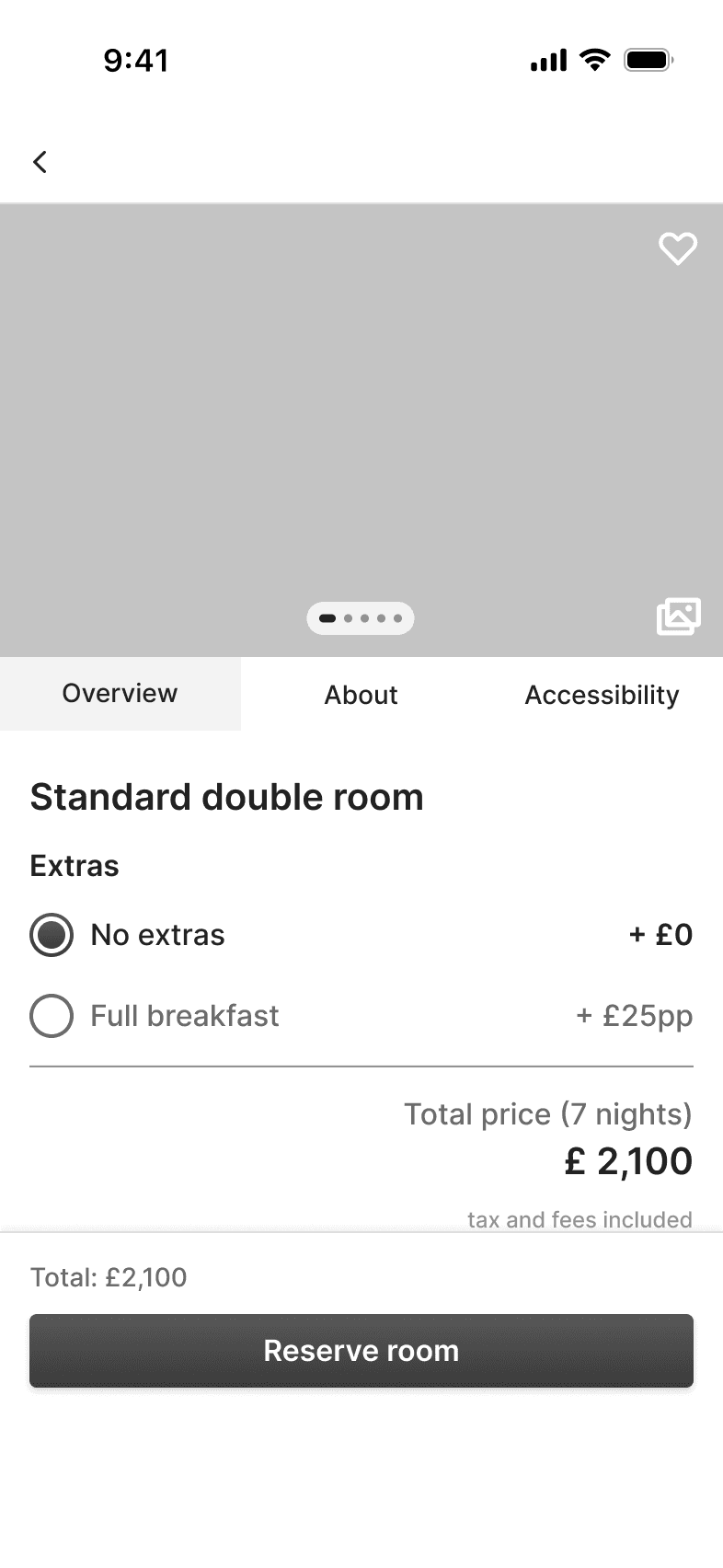
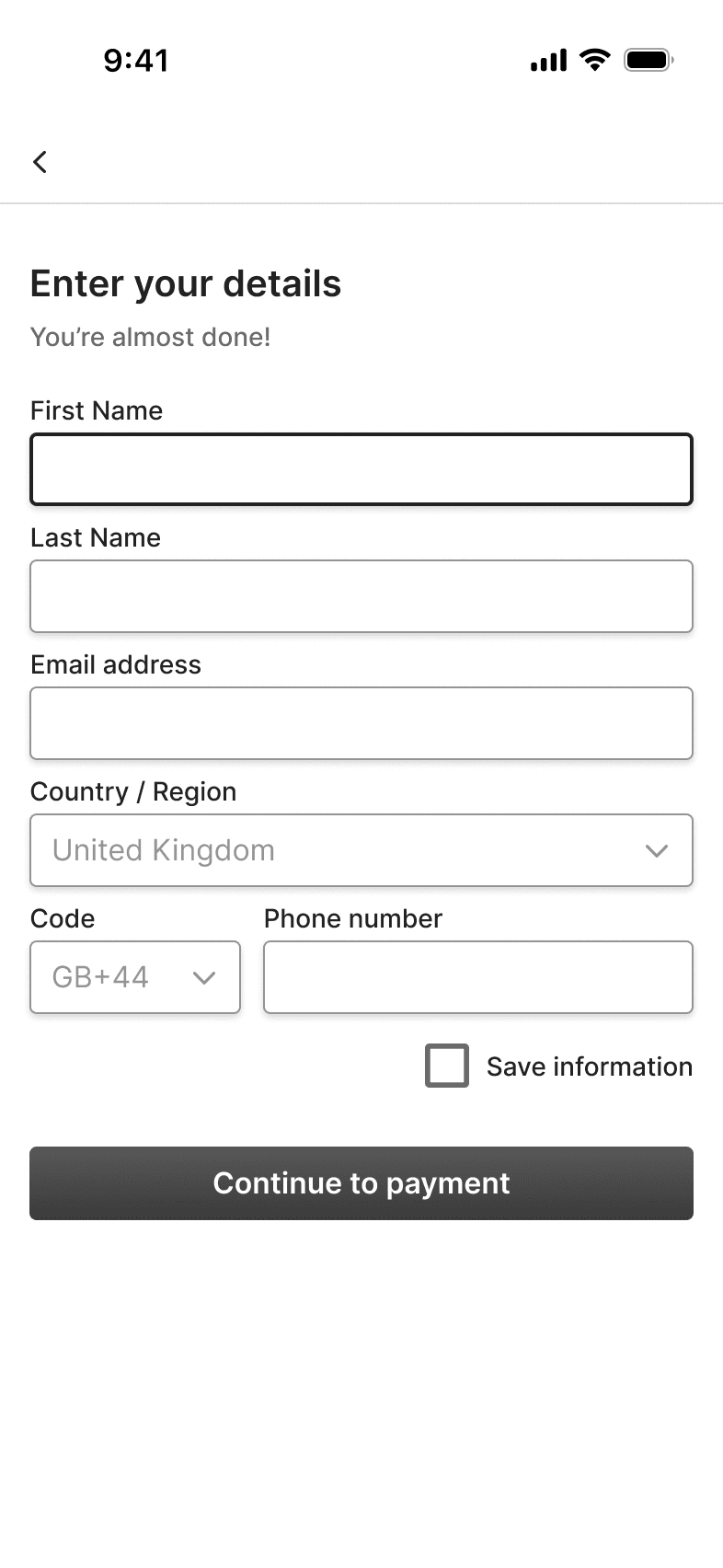
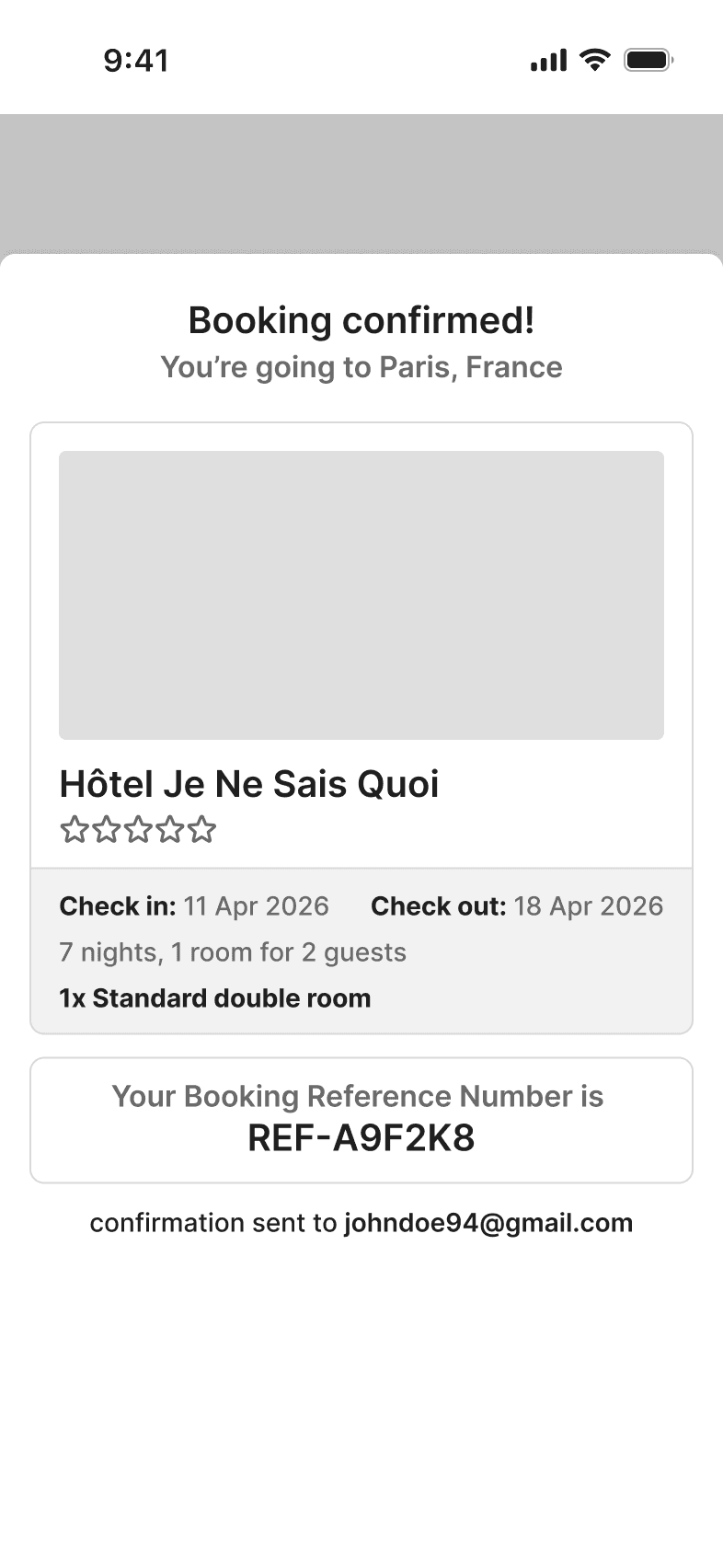
Medium-fidelity prototype - v1.0
Medium-fidelity prototype - v1.0
After conducting two rounds of usability testing with the initial prototype, a few usability issues emerged across the booking flow. Observing users interact with the prototype helped uncover points of friction that had not been apparent during the design phase.
These findings reinforced the importance of iteration in the design process. Based on the feedback and behaviours observed during testing, the prototype was refined through several iterations to improve clarity, reduce cognitive load and better support users’ goals.
The three most significant additions, based on user feedback, were:
After conducting two rounds of usability testing with the initial prototype, a few usability issues emerged across the booking flow. Observing users interact with the prototype helped uncover points of friction that had not been apparent during the design phase.
These findings reinforced the importance of iteration in the design process. Based on the feedback and behaviours observed during testing, the prototype was refined through several iterations to improve clarity, reduce cognitive load and better support users’ goals.
The three most significant additions, based on user feedback, were:
After conducting two rounds of usability testing with the initial prototype, a few usability issues emerged across the booking flow. Observing users interact with the prototype helped uncover points of friction that had not been apparent during the design phase.
These findings reinforced the importance of iteration in the design process. Based on the feedback and behaviours observed during testing, the prototype was refined through several iterations to improve clarity, reduce cognitive load and better support users’ goals.
The three most significant additions, based on user feedback, were:
🛠️
Dedicated comparison screen for evaluating multiple properties
Dedicated comparison screen for evaluating multiple properties
🛠️
Dedicated comparison screen for evaluating multiple properties
🛠️
Flexible date selection within the calendar
Flexible date selection within the calendar
🛠️
Flexible date selection within the calendar
🛠️
Option to Add to Calendar, Print or Share the booking confirmation
Option to Add to Calendar, Print or Share the booking confirmation
🛠️
Option to Add to Calendar, Print or Share the booking confirmation
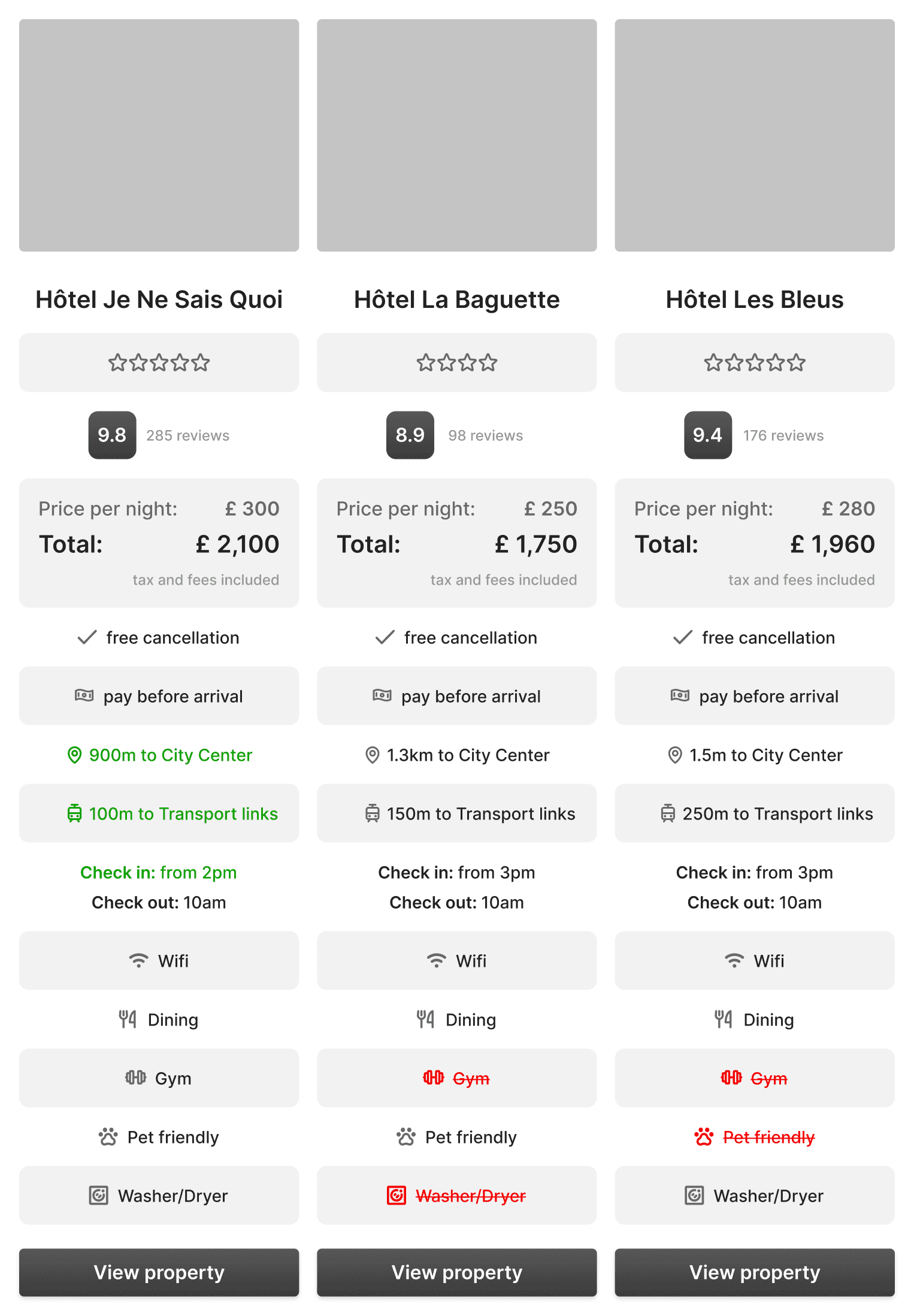
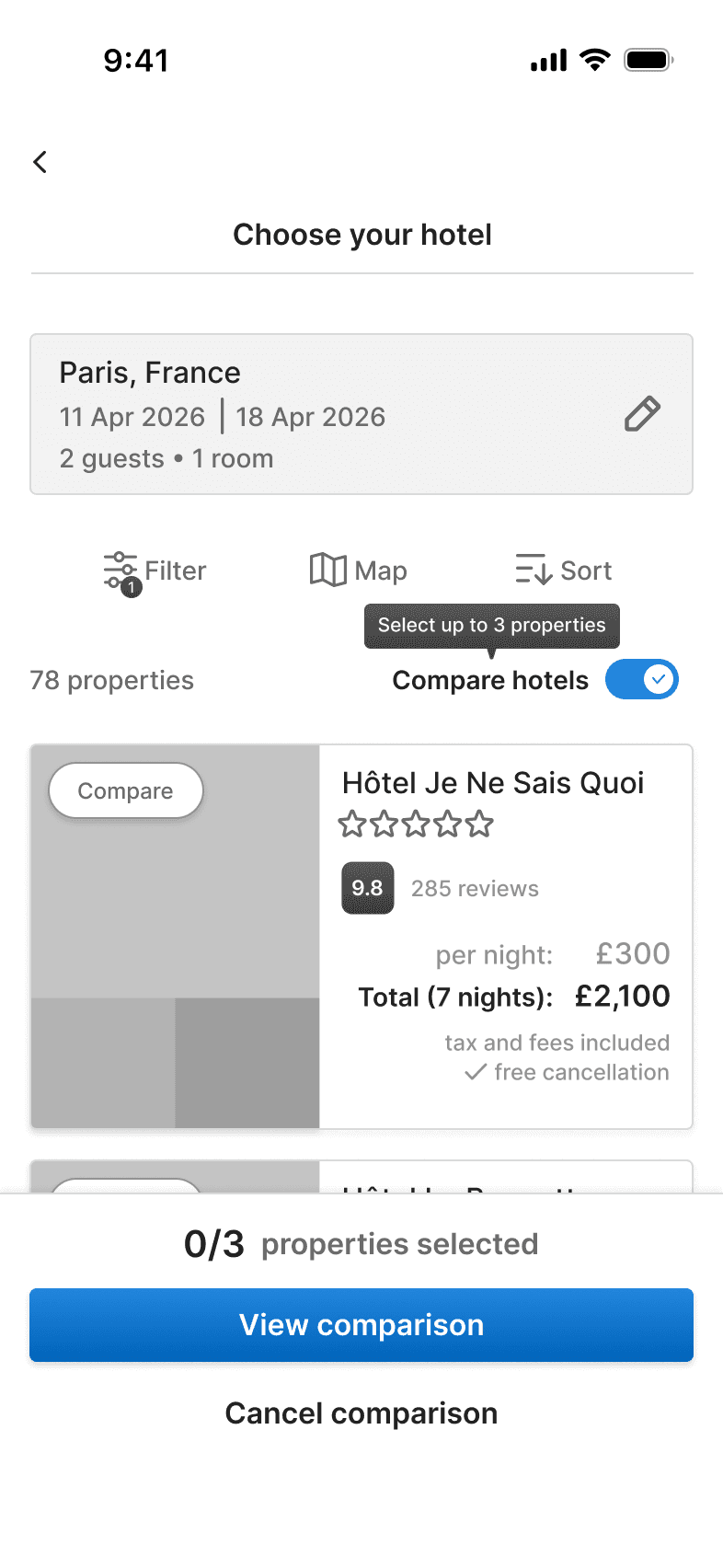
The biggest change is the inclusion of an option to compare different properties in a separate, dedicated screen
New features were added based on user feedback
New features were added based on user feedback
View Mid-Fidelity Prototype
View Mid-Fidelity Prototype
Did it solve the problem?
Did it solve the problem?
The updated prototype was then reviewed with users to assess whether the design changes addressed the key challenges identified during research. While the validation was qualitative, feedback suggested that the proposed solution delivered meaningful improvements in three key areas:
The updated prototype was then reviewed with users to assess whether the design changes addressed the key challenges identified during research. While the validation was qualitative, feedback suggested that the proposed solution delivered meaningful improvements in three key areas:
The updated prototype was then reviewed with users to assess whether the design changes addressed the key challenges identified during research. While the validation was qualitative, feedback suggested that the proposed solution delivered meaningful improvements in three key areas:
✨
Make comparison easier
Make comparison easier
✨
Make comparison easier
✨
Prioritise key information
Prioritise key information
✨
Prioritise key information
✨
Increase user confidence
Increase user confidence
✨
Increase user confidence
Not just pretty screens
Not just pretty screens
The final step was to transform the validated mid-fidelity prototype into a polished high-fidelity experience. Rather than focusing solely on aesthetics, the goal was to create a clear, consistent and accessible interface.
To achieve this, I developed a lightweight UI kit, including reusable components, colour styles and typography guidelines. Inspired by sunny seaside holidays, the visual language combines blue and yellow tones, while maintaining sufficient contrast for readability and accessibility. Typography, spacing and component styles were designed to create a clear visual hierarchy and ensure information remained easy to scan and understand on mobile devices.
The final step was to transform the validated mid-fidelity prototype into a polished high-fidelity experience. Rather than focusing solely on aesthetics, the goal was to create a clear, consistent and accessible interface.
To achieve this, I developed a lightweight UI kit, including reusable components, colour styles and typography guidelines. Inspired by sunny seaside holidays, the visual language combines blue and yellow tones, while maintaining sufficient contrast for readability and accessibility. Typography, spacing and component styles were designed to create a clear visual hierarchy and ensure information remained easy to scan and understand on mobile devices.
The final step was to transform the validated mid-fidelity prototype into a polished high-fidelity experience. Rather than focusing solely on aesthetics, the goal was to create a clear, consistent and accessible interface.
To achieve this, I developed a lightweight UI kit, including reusable components, colour styles and typography guidelines. Inspired by sunny seaside holidays, the visual language combines blue and yellow tones, while maintaining sufficient contrast for readability and accessibility. Typography, spacing and component styles were designed to create a clear visual hierarchy and ensure information remained easy to scan and understand on mobile devices.
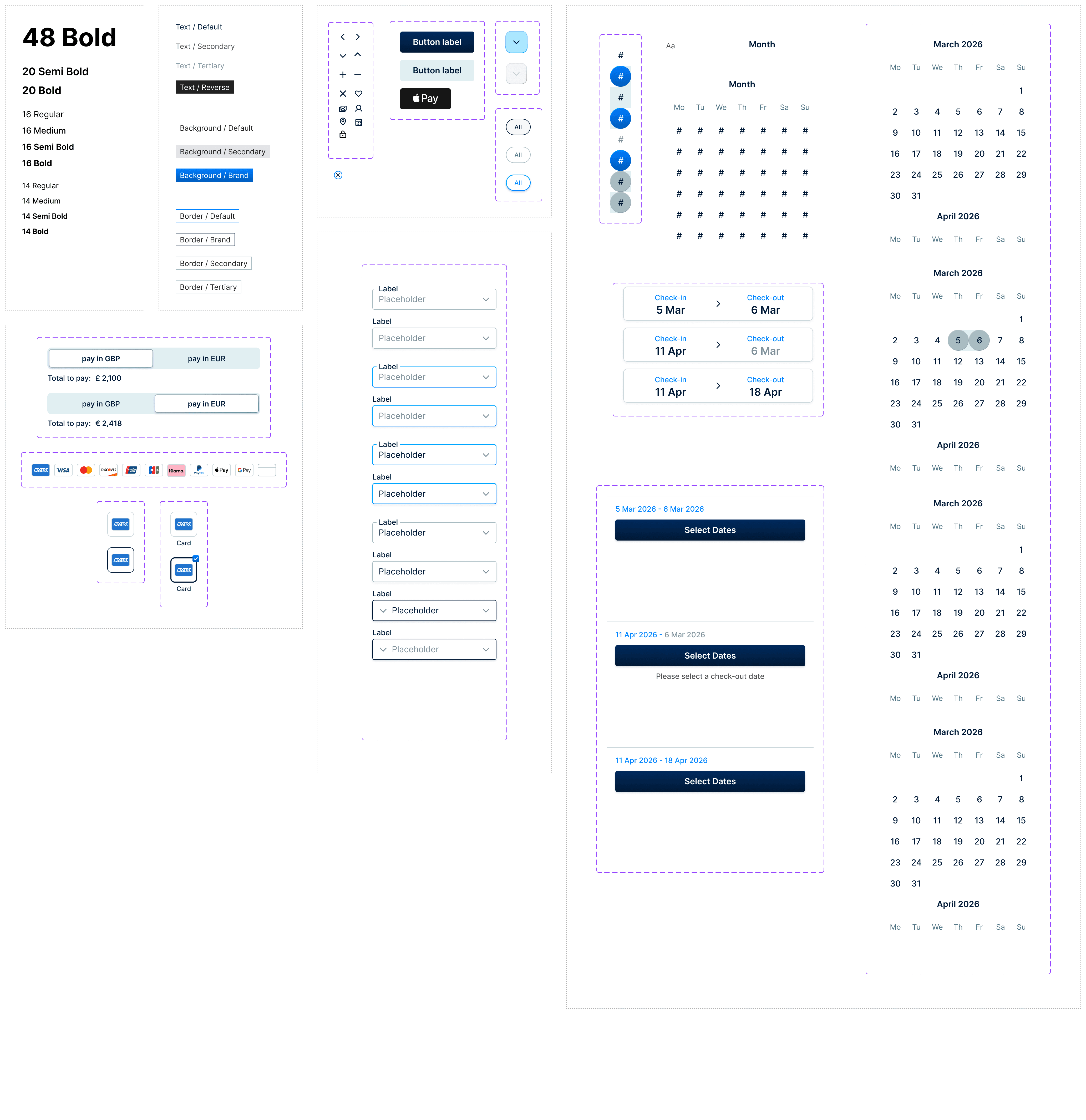
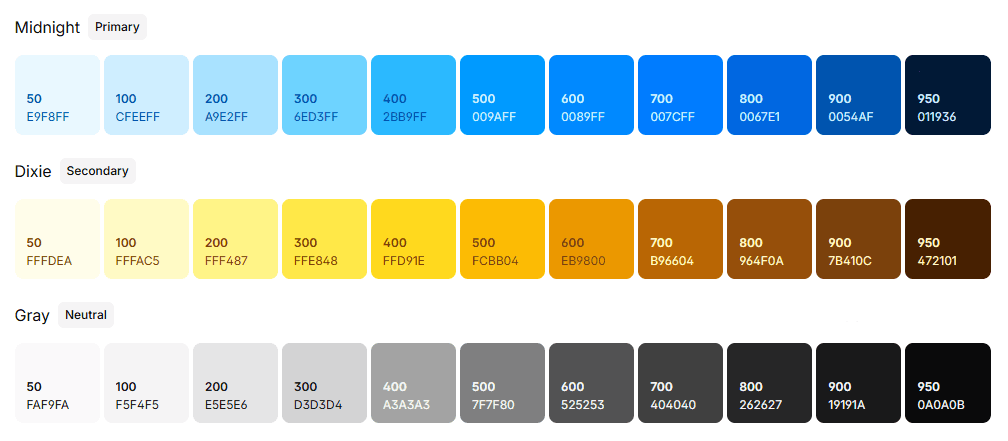
Colour, typography and reusable components organised into a lightweight UI kit
Colour, typography and reusable components organised into a lightweight UI kit

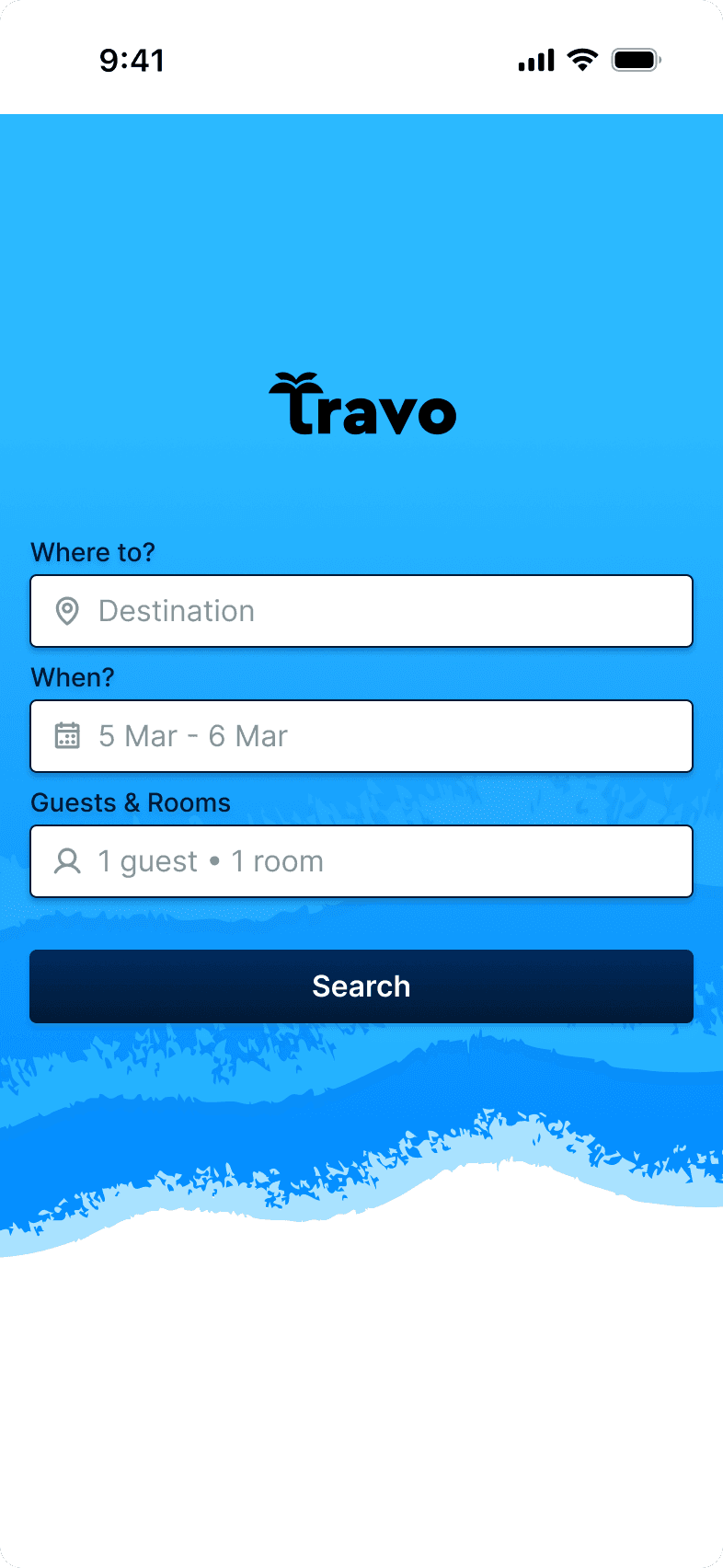
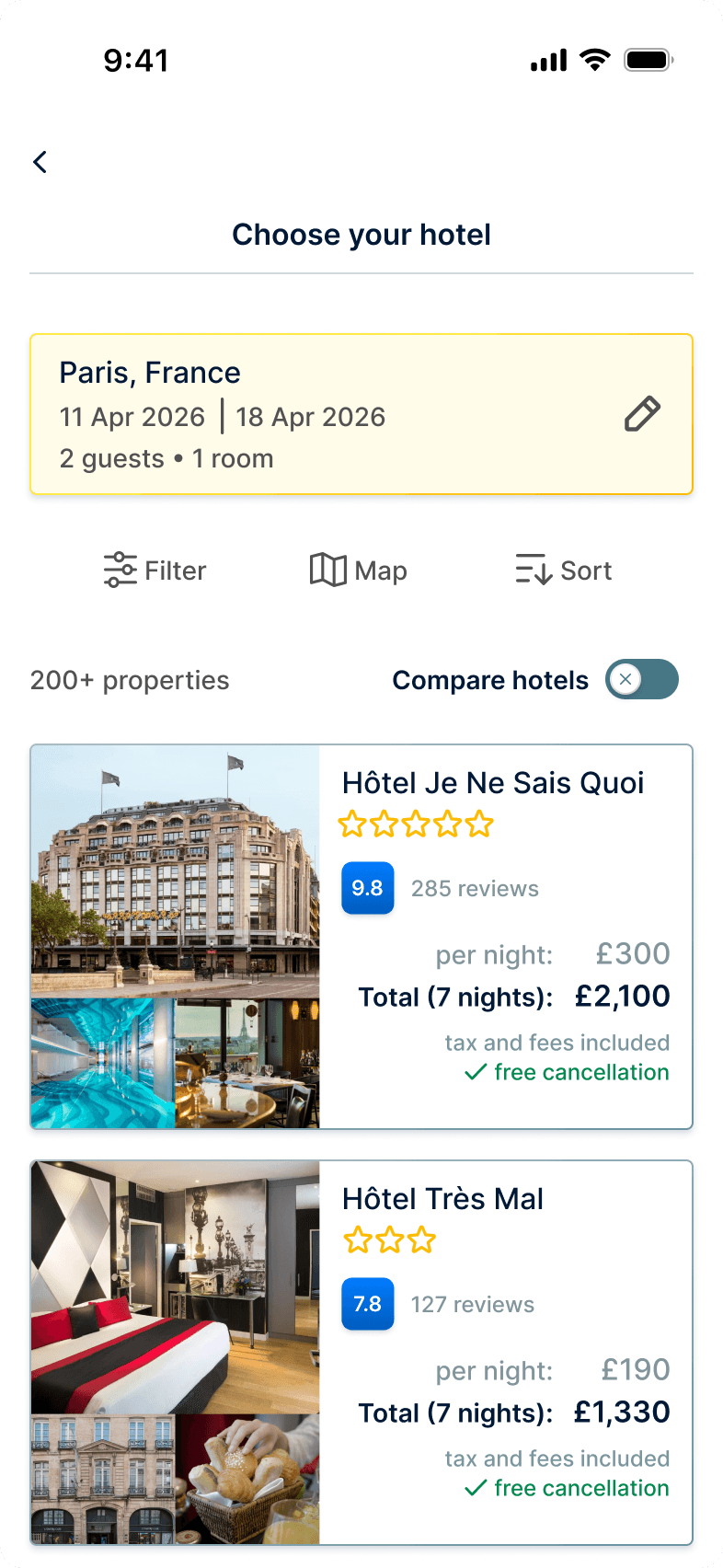
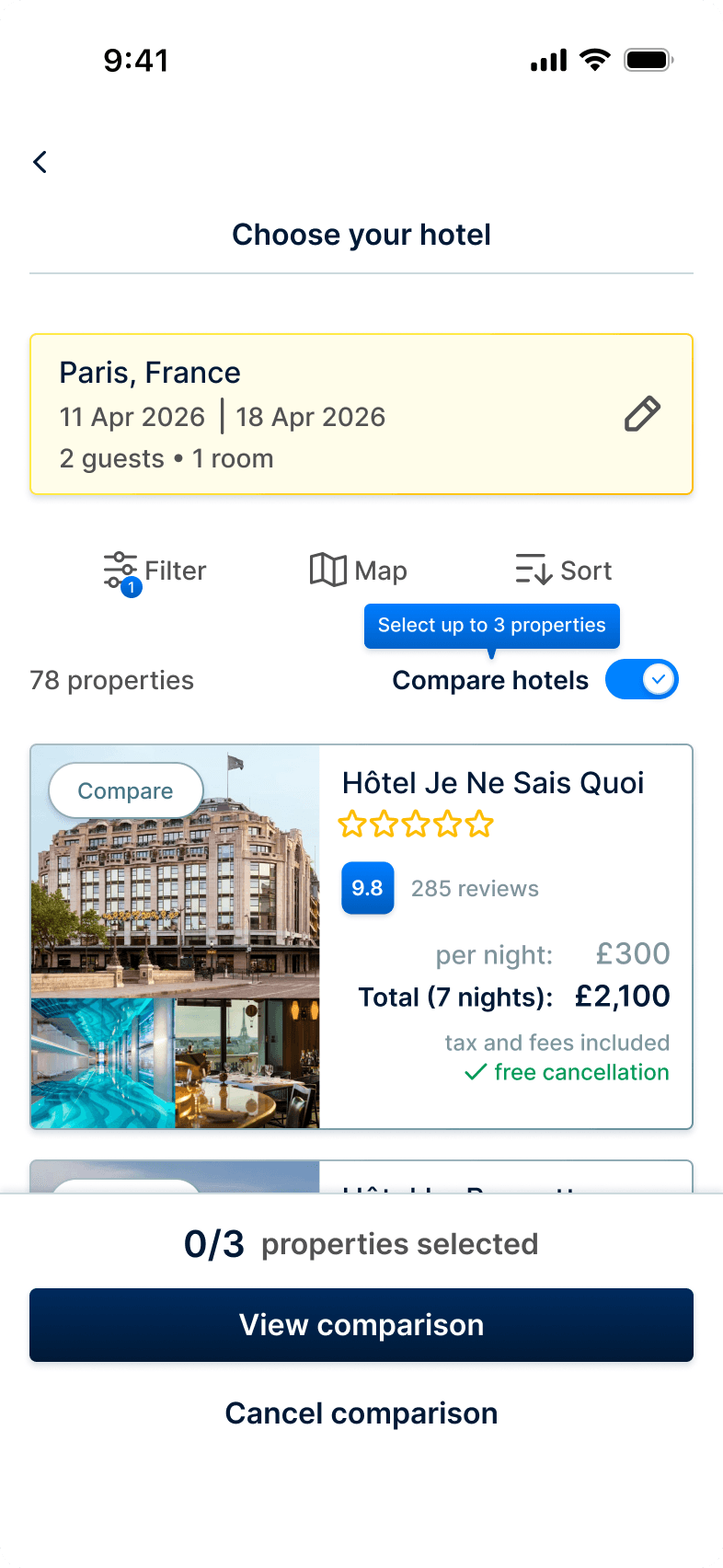
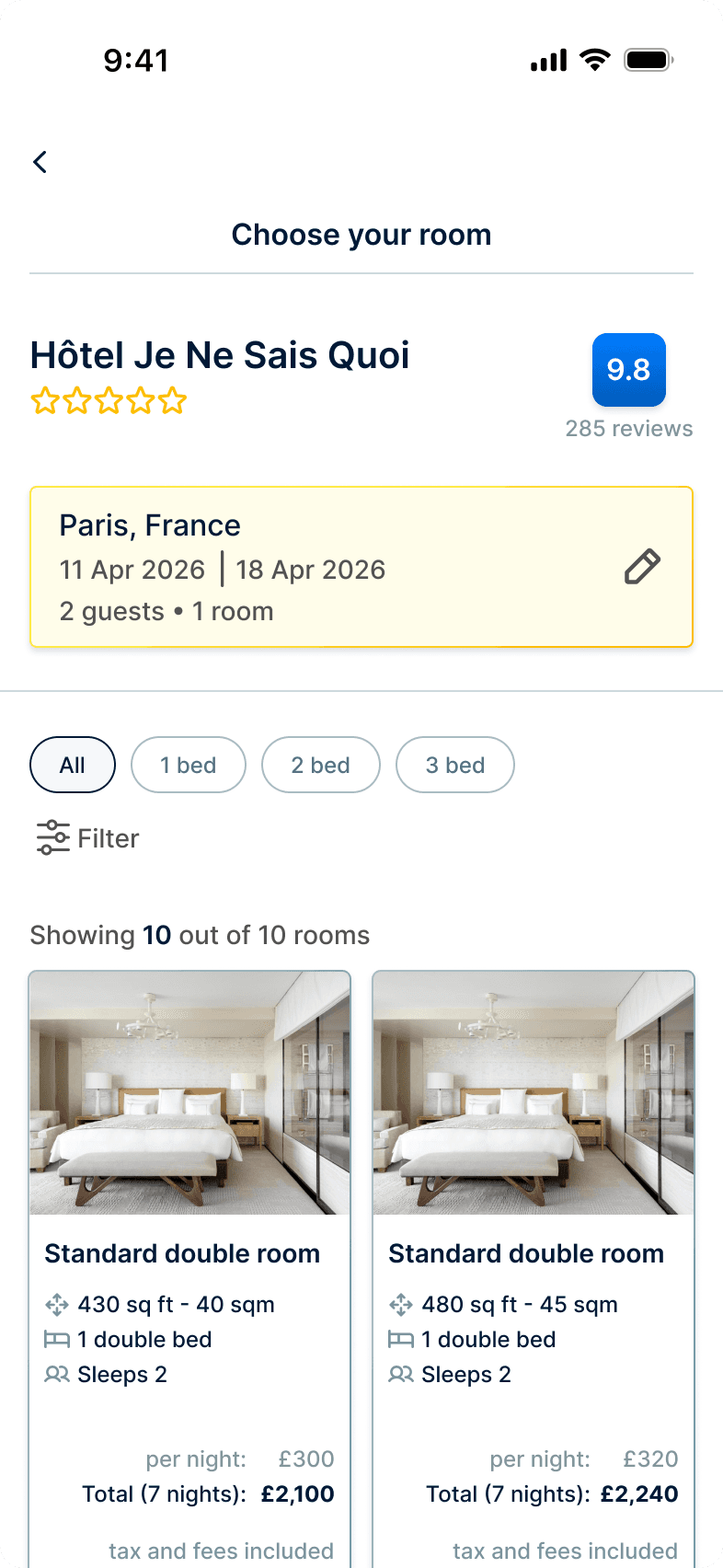
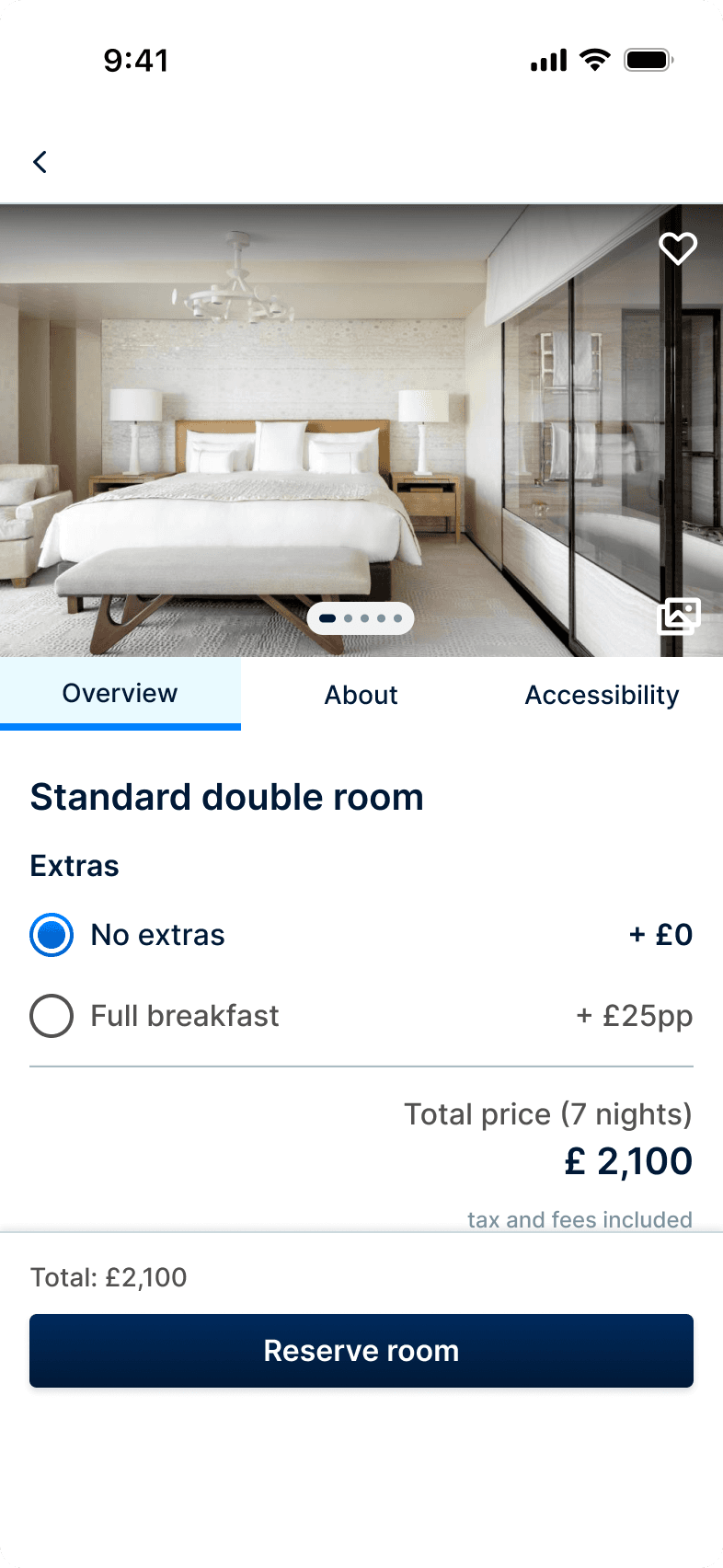
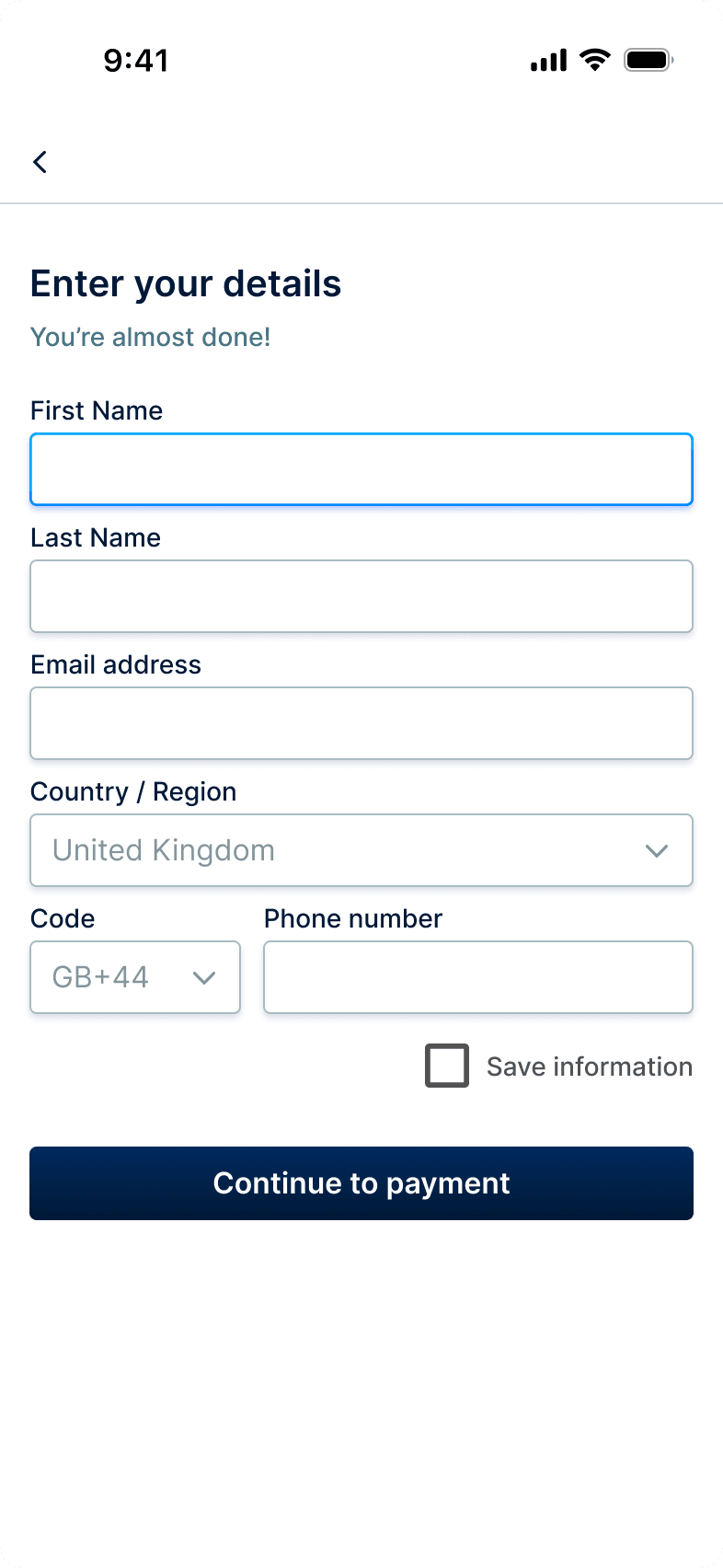
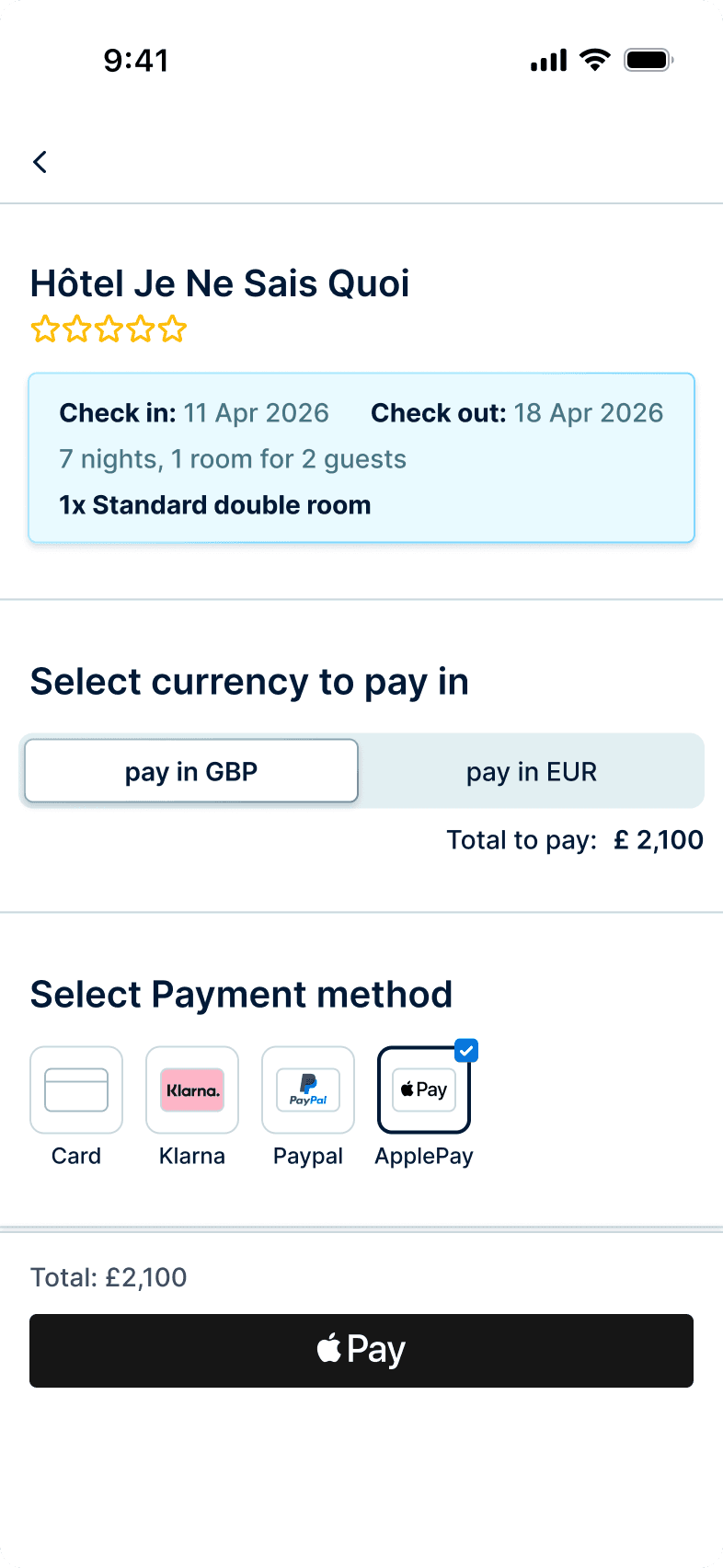
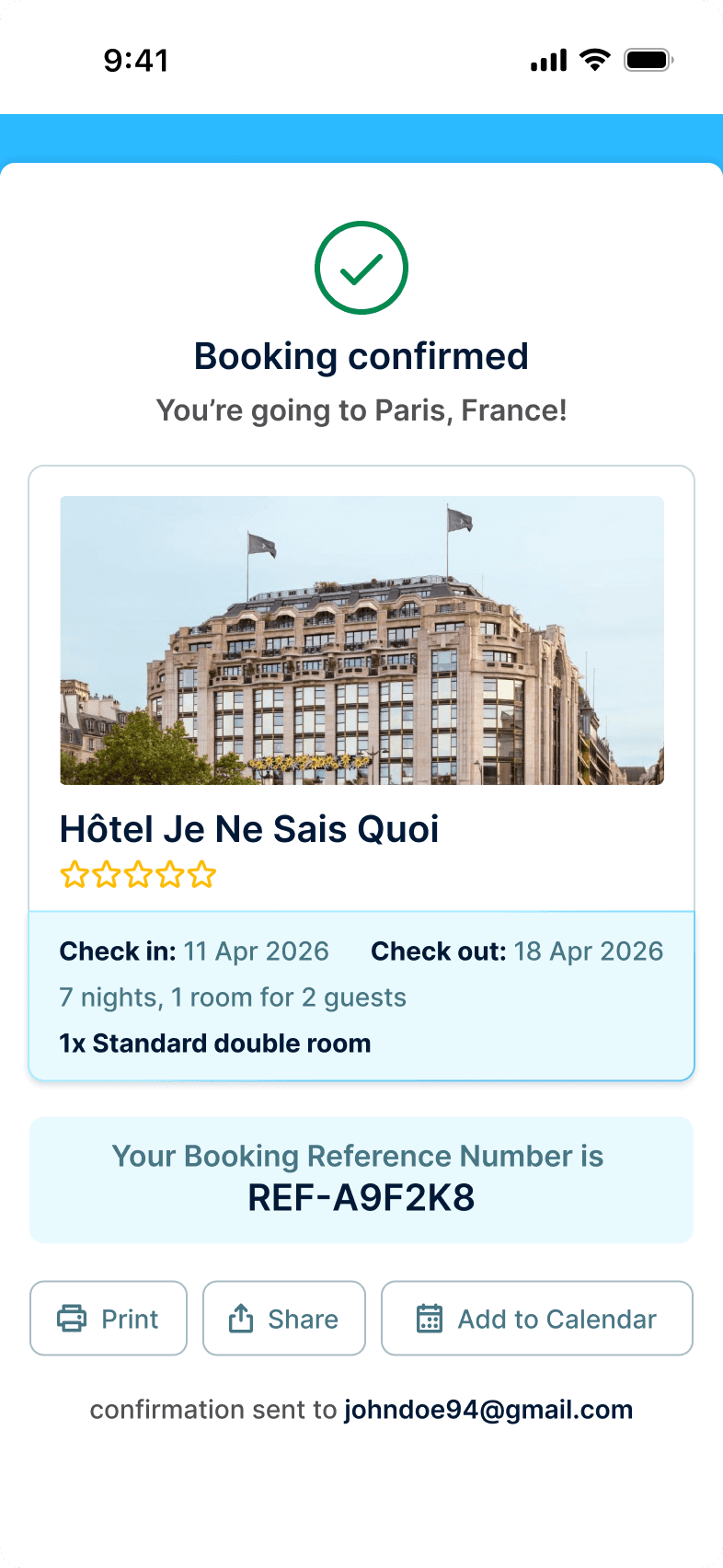
High-fidelity Prototype
High-fidelity Prototype
View High-Fidelity Prototype
View High-Fidelity Prototype
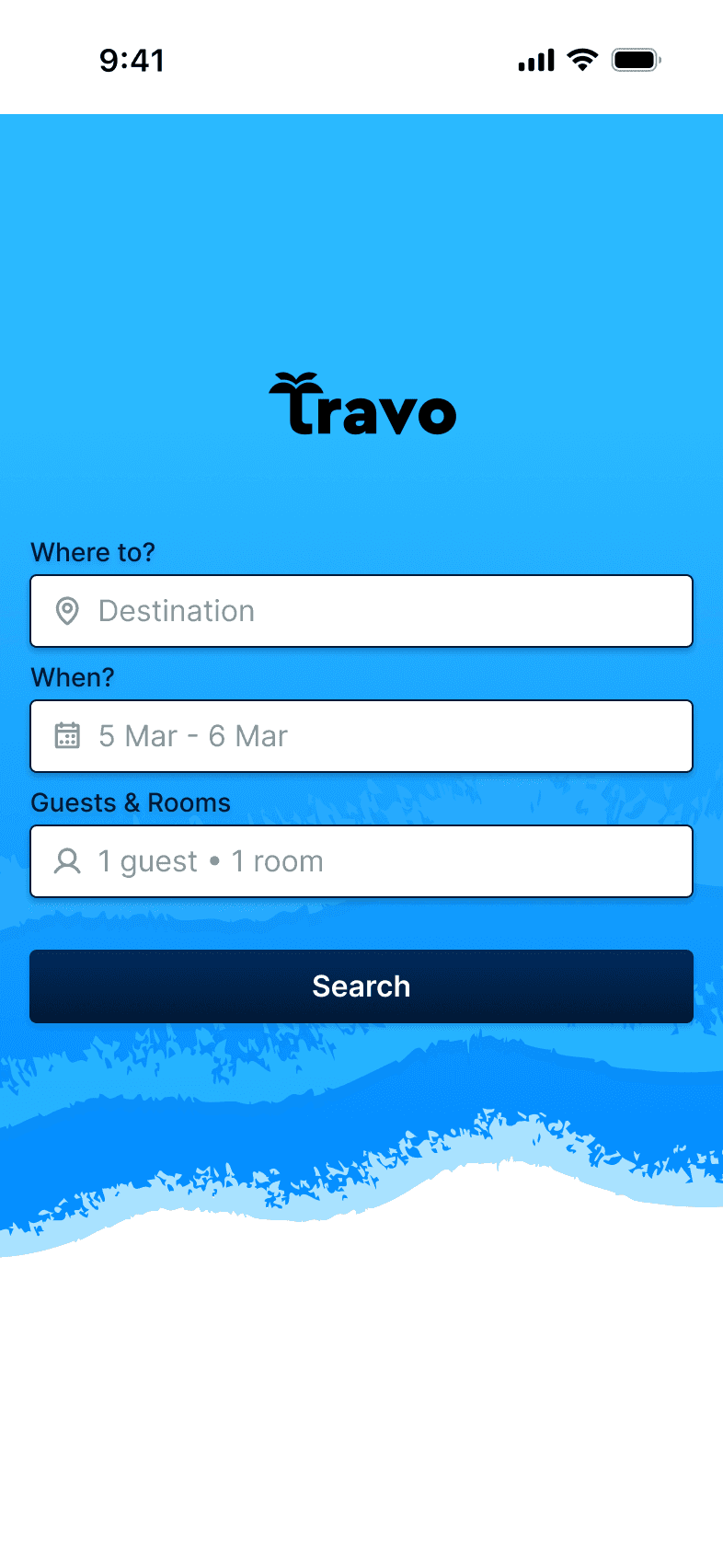
To support implementation, I created design annotations to communicate key behaviours, interactions and design requirements. This would help reduce ambiguity and ensure that important design decisions could be clearly understood during handoff.
To support implementation, I created design annotations to communicate key behaviours, interactions and design requirements. This would help reduce ambiguity and ensure that important design decisions could be clearly understood during handoff.
To support implementation, I created design annotations to communicate key behaviours, interactions and design requirements. This would help reduce ambiguity and ensure that important design decisions could be clearly understood during handoff.
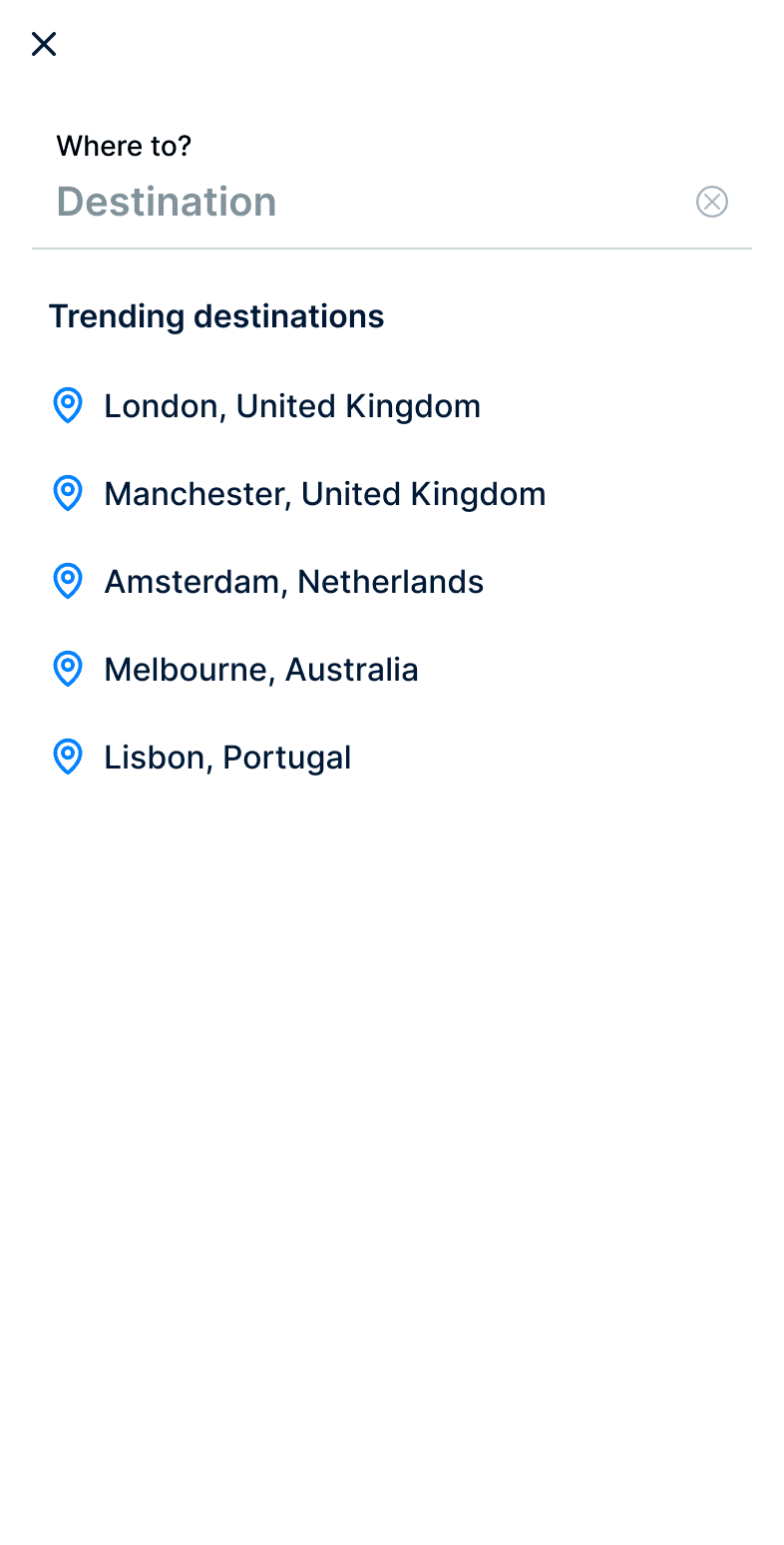
1 - “Destination” overlay moves in as user taps the Destination input field
Animation settings for all overlays are as follows (unless specified):
Move in
Up
Custom bezier
300m/s
0, 0, 0, 1
2- Show list of “Trending destinations” as a default state, before user starts typing
3- Tapping “X” should close overlays (applied to all overlays)
1 - “Destination” overlay moves in as user taps the Destination input field
Animation settings for all overlays are as follows (unless specified):
Move in
Up
Custom bezier
300m/s
0, 0, 0, 1
1
3
2
Design handoff annotations
Design handoff annotations
View Design handoff annotations
View Design handoff annotations
What I learned
What I learned
While the proposed solution improved comparison and decision making on mobile, it also highlighted the limitations of smaller screens when presenting large amounts of information. The project reinforced that effective design is often about balancing clarity with complexity, making informed trade-offs and iterating based on research and user feedback.
While the proposed solution improved comparison and decision making on mobile, it also highlighted the limitations of smaller screens when presenting large amounts of information. The project reinforced that effective design is often about balancing clarity with complexity, making informed trade-offs and iterating based on research and user feedback.
While the proposed solution improved comparison and decision making on mobile, it also highlighted the limitations of smaller screens when presenting large amounts of information. The project reinforced that effective design is often about balancing clarity with complexity, making informed trade-offs and iterating based on research and user feedback.